







Schema Markup for SEO: The Complete Guide to Better Search Rankings
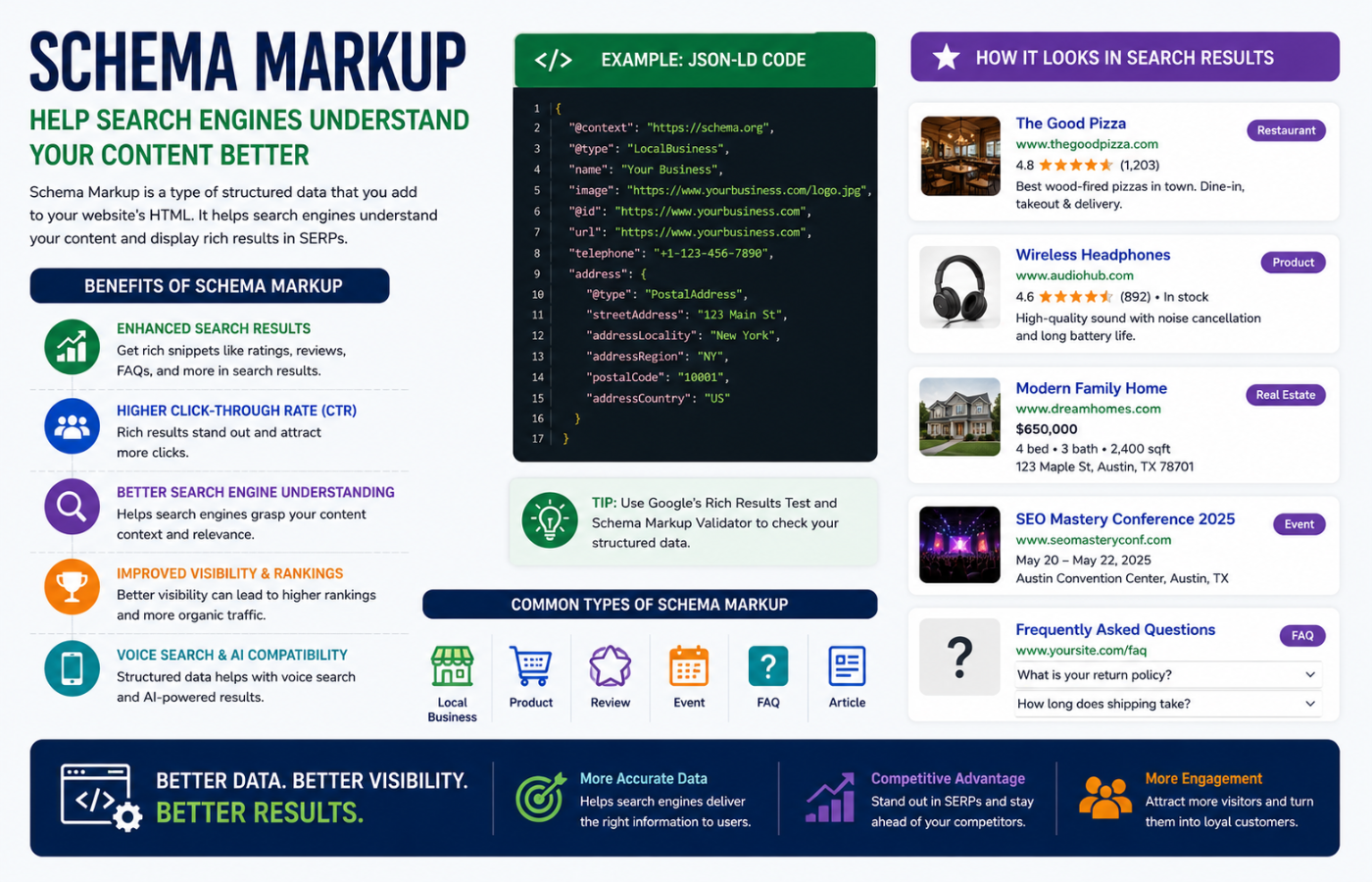
Schema markup is one of the highest-impact, lowest-effort upgrades you can make to your website. Often used interchangeably with the term structured data, schema markup is machine-readable code that helps search engines understand your content and provide crucial context for classification and interpretation. By implementing schema markup, you’re presenting your written and visual content in a structured way that search engine crawlers can understand. This can enable rich snippets for your pages—visual enhancements like star ratings, product pricing, and event details that take up more real estate in search results, drawing more attention and leading to higher click-through rates. Combined with effective Local SEO Tips, schema markup can significantly improve your local search visibility and help your business stand out in Google Search and Maps.
What Is Schema Markup?
Schema markup is a type of structured data that informs search engines about your webpages, acting like an interpreter translating a foreign language . It helps search engines “connect the dots” between content and context .
The terms schema markup, structured data, and JSON-LD are often used interchangeably, but they are technically different :
| Term | Description |
|---|---|
| Schema markup | Using a specific syntax to implement the Schema.org vocabulary |
| Structured data | Information provided in a machine-readable format |
| JSON-LD | The format recommended by Google for encoding structured data |
Google recommends JSON-LD because it’s the easiest to implement and read . You can add JSON-LD as a <script type="application/ld+json"> block in the <head> or <body> of your page .
Essential Schema Markup Types for Better Search Rankings
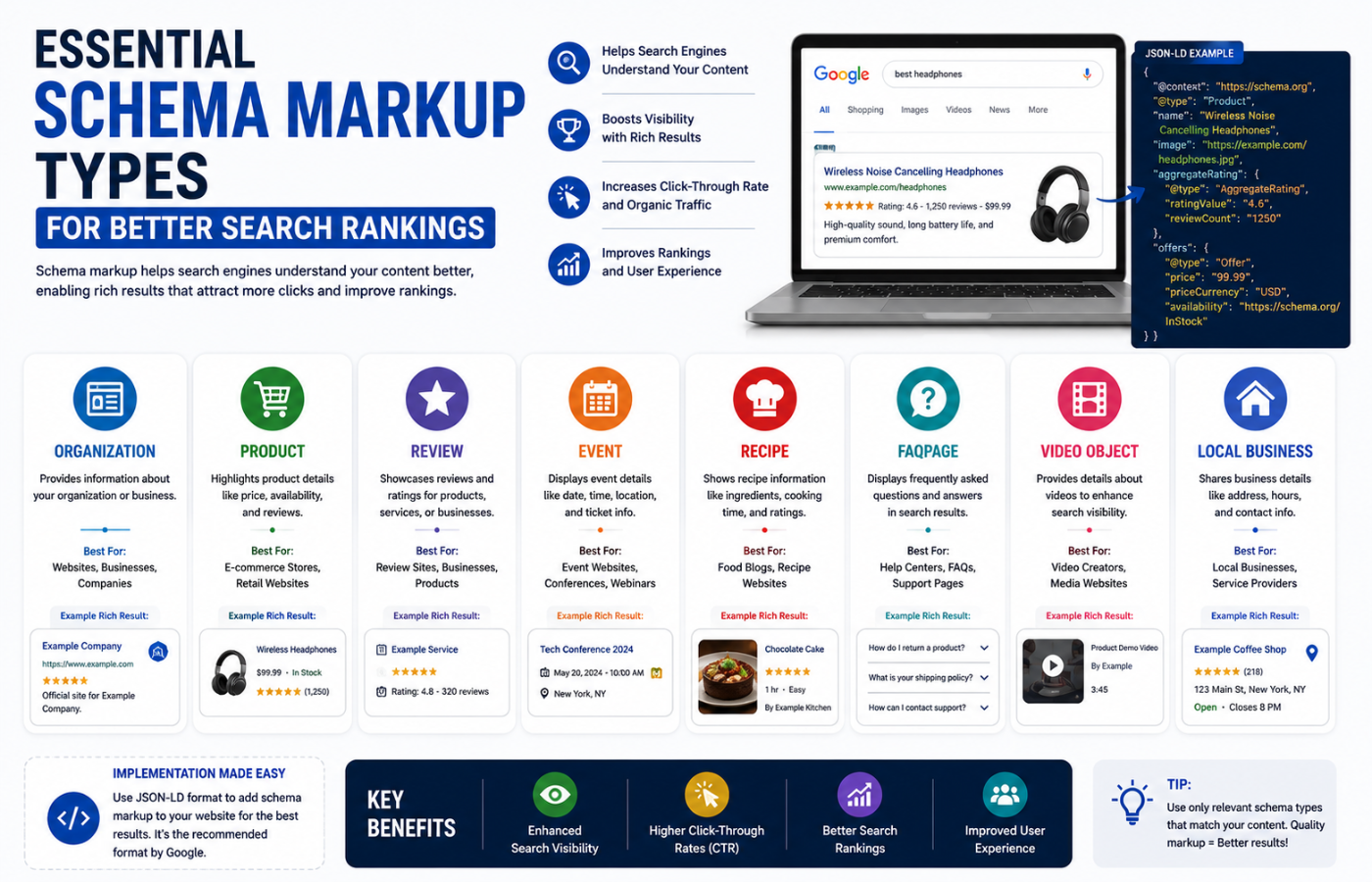
Different schema markup types serve different purposes. Here are the most important ones for SEO:
Article / BlogPosting Schema
Best for blog posts, news articles, and editorial content. It helps Google show better title text, images, and date information in search results .
Required/recommended properties:
-
headline– The article title (max 110 chars) -
image– URLs to representative images (16:9, 4:3, 1:1 aspect ratios) -
datePublished– First publication date in ISO 8601 format -
dateModified– Last modified date -
author– Person with name and profile URL
Product Schema
Essential for e-commerce stores. Users can see price, availability, review ratings, and shipping information directly in search results .
As AI shopping agents become more prevalent, complete Product schema is how your products become machine-readable and recommendable by these systems .
Local Business Schema
Helps Google understand your business details—address, opening hours, departments—and enables local pack visibility .
FAQ Schema
Mark up frequently asked questions to enable the expandable accordion in search results. Note that Google now restricts FAQ rich results to authoritative government and health sites, but the format remains valuable for LLM retrieval and AI search .
BreadcrumbList Schema
For navigable breadcrumbs in search results, improving user experience and CTR .
Why Schema Matters More in 2026
Two key trends make schema markup increasingly important :
-
Rich results beat plain results in CTR—results with schema can get 20-30% more clicks
-
Generative LLMs reuse schema as a structured source, making pages easier to cite in AI-generated answers
AI search builds on Google’s Knowledge Graph, which relies on structured data from crawled websites . While schema may not directly influence LLMs like ChatGPT in the way most assume, high-quality schema markup has been observed to perform better for appearing in Google AI Overviews .
How to Add Schema Markup
Option A: Use an SEO Plugin (Easiest)
If you use WordPress, plugins like Yoast SEO can generate Article markup automatically and let you set schema per post . Simply:
-
Set site representation (Person vs Organization)
-
Configure default schema for posts
-
Edit a post and confirm the schema type
-
Update and validate
Option B: Add JSON-LD Manually
For full control, add a JSON-LD script directly to your page . Here’s a minimal Article example:
<script type="application/ld+json">
{
  "@context": "https://schema.org",
  "@type": "BlogPosting",
  "headline": "Your Blog Post Title",
  "image": ["https://example.com/photo.jpg"],
  "datePublished": "2025-11-01T14:32:00+00:00",
  "dateModified": "2025-11-10T09:15:00+00:00",
  "author": [{
    "@type": "Person",
    "name": "Author Name",
    "url": "https://example.com/author/"
  }]
}
</script>
Validate Your Schema Markup
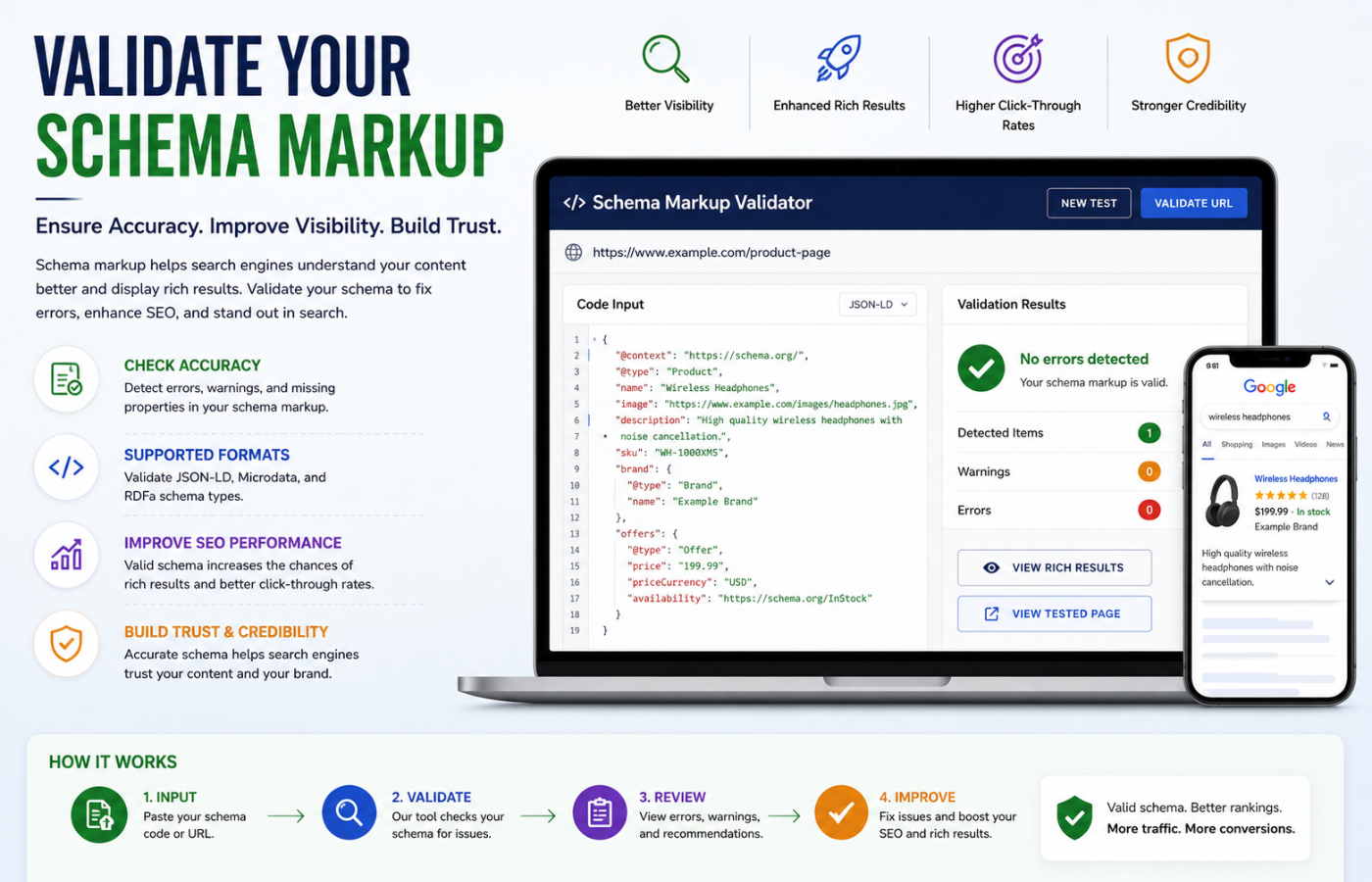
Validation is non-negotiable . Use these official tools:
-
Rich Results Test – Check if your page is eligible for Google rich results
-
Schema Markup Validator – Validate Schema.org JSON-LD for correctness
-
Google Search Console – Monitor structured data issues under “Enhancements”
Common Schema Mistakes to Avoid
| Mistake | Why It Hurts | Fix |
|---|---|---|
| Markup doesn’t match page content | Conflicting signals; violates guidelines | Always pick the exact schema type for the content |
| Missing or weak author data | Google can’t attribute content properly | Use Person/Organization type with valid URL |
| Unindexable images | Images don’t display in rich results | Store images on crawlable paths |
| FAQPage on non-FAQ content | Misleading; no rich result | Only use when content fits the definition |
| Broken schema | Google ignores it completely | Always validate before publishing |
Conclusion
Want schema markup that powers rich results, boosts CTR, and makes your content AI-ready for 2026 search?
Get in touch with Orbitix today.