





How Local SEO for Multiple Locations Helps Drive More Foot Traffic
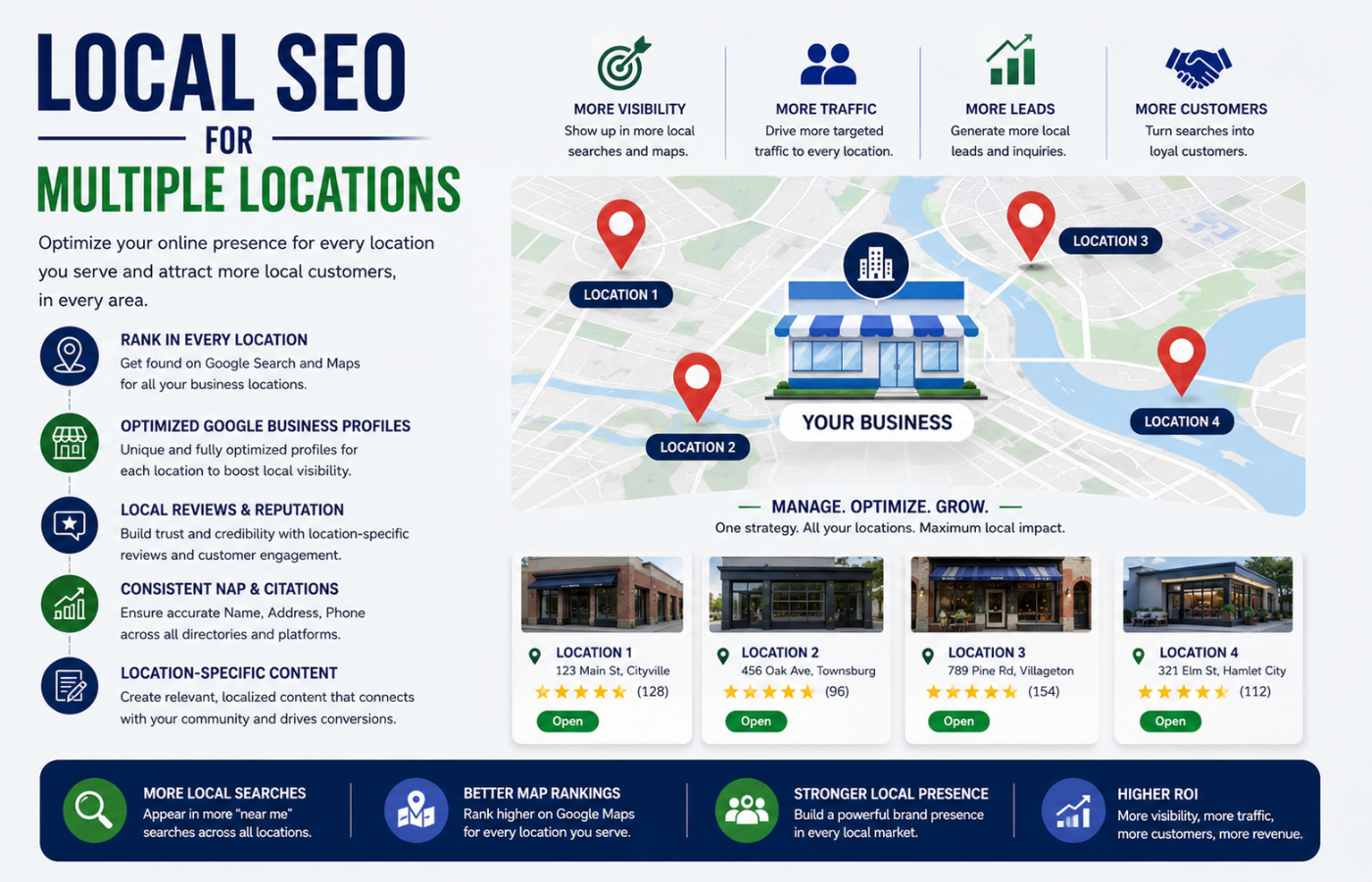
Local SEO for multiple locations presents a unique challenge that single-store businesses never face. When you have offices, storefronts, or service centres across different cities — or even different neighbourhoods within the same city — each location needs to rank independently for its own local searches. A customer searching for “coffee shop near me” should find your downtown location, while someone searching across town should see your suburban branch, not the same generic homepage. The same principle applies to service-based businesses using local SEO for plumbers, where each service area must be optimized to attract customers searching for plumbing services nearby. Strategic local SEO for multiple locations ensures that every single one of your physical stores appears prominently in its own local market, driving foot traffic, phone calls, and in-store visits from the customers closest to them.
Why Multi-Location Businesses Struggle With Local Search
Most multi-location businesses make one of two critical mistakes: they create a single homepage that tries to serve all locations (and ranks for none), or they clone the same content across dozens of location pages (triggering duplicate content penalties). Neither approach works. Google wants to see unique, locally relevant information for each physical address. Without a dedicated strategy, your suburban store might be invisible while your competitor — with half your footprint — dominates every neighbourhood search. Multi-location SEO requires thinking like a franchise: each location must earn its own visibility.
Proven Local SEO for Multiple Locations Strategies That Drive Foot Traffic
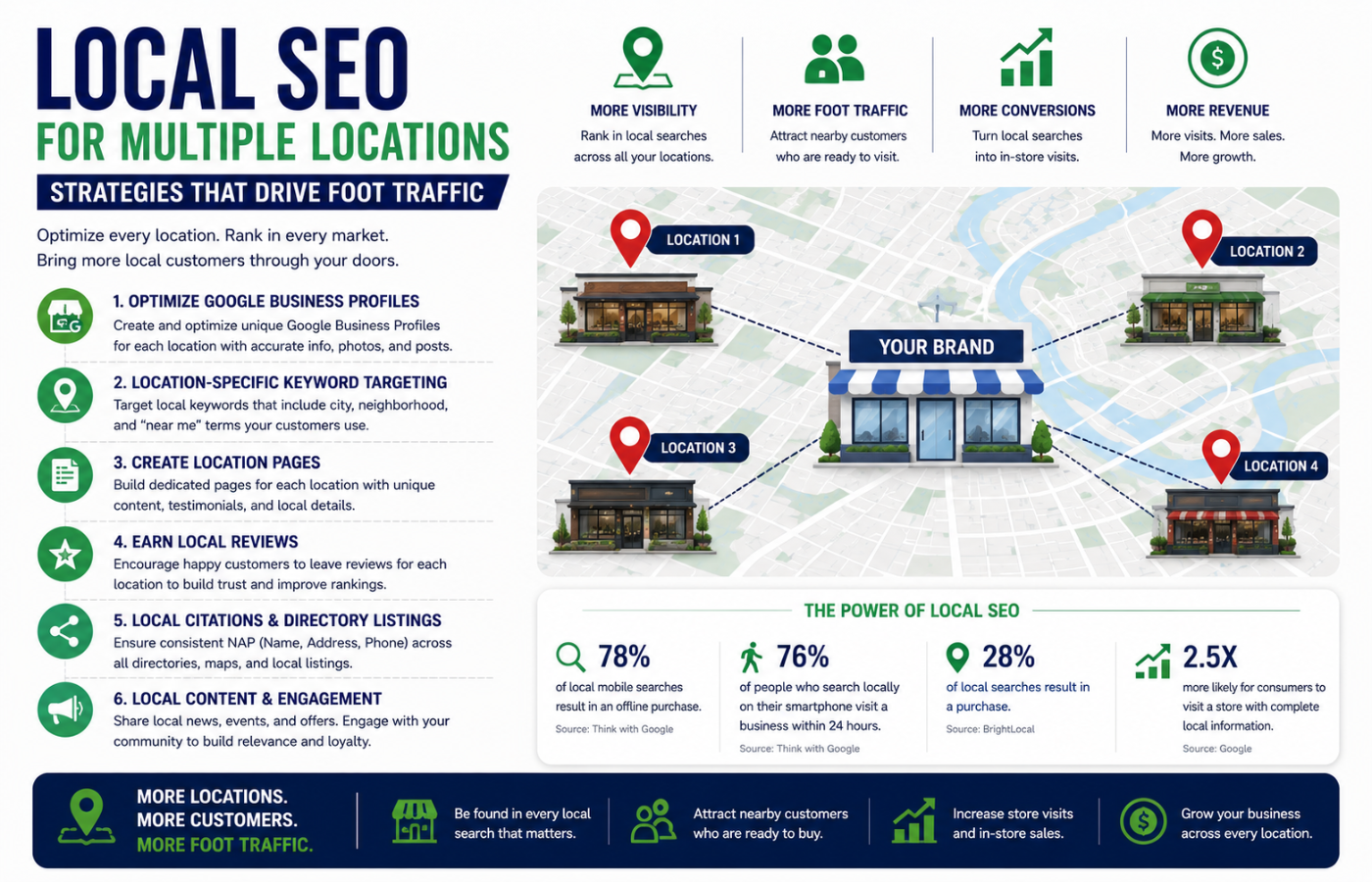
Effective local SEO for multiple locations focuses on creating independent, locally relevant digital assets for every store or office:
1. Create Unique, High-Quality Location Pages (No Duplicate Content)
Each physical location needs its own dedicated page on your website — not a paragraph on a “contact us” page. Every location page must include:
-
Unique, human-written content (minimum 500-800 words) describing that specific store’s history, team, neighbourhood, and local expertise
-
Unique meta title and description featuring the city/neighbourhood name and primary service
-
Local landmarks and references (e.g., “just two blocks from the town hall” or “across from the shopping centre”)
-
Local-specific testimonials from customers in that area
-
Local certifications, awards, or community involvement (e.g., “sponsors the local youth football club”)
-
Local business hours (including holiday variations specific to that location)
Example of poor location page: “We offer plumbing services in London, Birmingham, and Manchester. Call us today.”
Example of strong location page: “Our South London plumbers have served Crystal Palace, Norwood, and Dulwich for over a decade. From burst pipes in SE19 to boiler repairs near the Horniman Museum, we know the local water pressure quirks and housing stock.”
2. Claim and Optimise Every Google Business Profile
You cannot have one GBP for multiple locations. Each physical address needs its own Google Business Profile. For each profile:
-
Use the exact, real address (no PO boxes)
-
Select the correct primary category (and up to 9 secondary categories)
-
Add local-specific photos (exterior with street signs, interior, team members at that location)
-
Set location-specific hours (holiday hours, early closing days)
-
Enable WhatsApp messaging if relevant for your industry
-
Add products/services specific to that location
-
Post weekly updates about local offers, events, or news
Critical: Use a different phone number (or extension) for each location so you can track which store generates which calls.
3. Implement Local Service Area Pages (For Businesses That Travel)
If you serve customers at their homes or offices (plumbers, cleaners, mobile vets), you need service area pages, not just location pages.
Example structure for a carpet cleaner with one office serving 20 towns:
-
Main website: headquarters address
-
Service area pages: “Carpet Cleaning in Abingdon,” “Carpet Cleaning in Didcot,” “Carpet Cleaning in Wantage” — each with unique content about that town’s common flooring types, traffic patterns, and local landmarks.
4. Build Location-Specific Local Citations
Your NAP (Name, Address, Phone) must be consistent for each location across:
-
Major data aggregators (Data Axle, Neustar, Foursquare, Factual)
-
Industry-specific directories (health grades for clinics, Yelp for restaurants, Avvo for law firms)
-
Local chamber of commerce websites (each chamber is a separate citation opportunity)
-
Local business associations and neighbourhood groups
Use tools like BrightLocal, Moz Local, or Semrush Local to manage citations across dozens of locations simultaneously.
5. Earn Location-Specific Backlinks
Generic backlinks to your homepage help your brand. Location-specific backlinks help individual stores rank:
-
Sponsor a local youth sports team (get a link from their website)
-
Join the local chamber of commerce (almost always includes a directory link)
-
Partner with local charities and community events
-
Get featured in local news or neighbourhood blogs
-
Participate in local business awards
Each location page should have its own backlink profile. A link to your Manchester page helps Manchester rank; a link to your homepage helps everyone a little and no one enough.
6. Generate Location-Specific Reviews
A 5-star rating in London does not help your Birmingham store rank. Google treats reviews as location-specific. Implement:
-
Location-specific review request systems (after service, send a text with a link to that store’s GBP review page)
-
QR codes at each physical location that take customers directly to that store’s review profile
-
Staff naming in reviews (“Ask for Sarah at our Solihull branch” — Sarah can then respond and mention the location)
-
Location-based keywords in review responses (“Thank you for visiting our Coventry store!”)
7. Use Location Schema Markup Correctly
Each location page needs its own LocalBusiness schema (or industry-specific variant like Dentist, Restaurant, Store). Include:
-
Name, address, phone (telephone), email
-
Geo coordinates (latitude/longitude) — critical for map rankings
-
Opening hours (use
openingHoursSchemawith day-by-day breakdown) -
Price range (
priceRangeas££or$$) -
Accepted payment methods
-
Images specific to that location
For franchises or chains, use Organization schema on the homepage listing all locations with location properties pointing to each LocalBusiness schema.
8. Create Location-Specific Content Hubs
Beyond basic location pages, build local content that demonstrates authentic community presence:
-
Blog posts about local events (“Our Manchester team volunteered at the food bank”)
-
Local case studies (“How we helped a family in Headington with their loft conversion”)
-
Local FAQs (“What planning permission do I need for an extension in Oxford?”)
-
Neighbourhood guides (“The best cafes to work from near our Birmingham co-working space”)
9. Optimise for “Near Me” and Voice Search
Voice search users say things like “plumber near me open now” or “closest coffee shop.” For multi-location SEO:
-
Ensure your GBP has accurate hours (especially Sunday and evening hours)
-
Use conversational language in your location pages (“If you need a locksmith right now in South London…”)
-
Add FAQ schema with questions people ask about your specific locations
-
Keep NAP data consistent — voice search relies heavily on citation accuracy
10. Manage Duplicate Listings and Data Sprawl
With multiple locations, duplicates multiply. A single address might have:
-
Your official GBP
-
A user-created GBP from a former employee
-
An old listing from a previous business at the same address
-
Inconsistent citations across 50+ directories
Monthly task: Run a duplicate listing scan using tools like BrightLocal. Merge, delete, or claim duplicates proactively.
The Multi-Location Foot Traffic Funnel
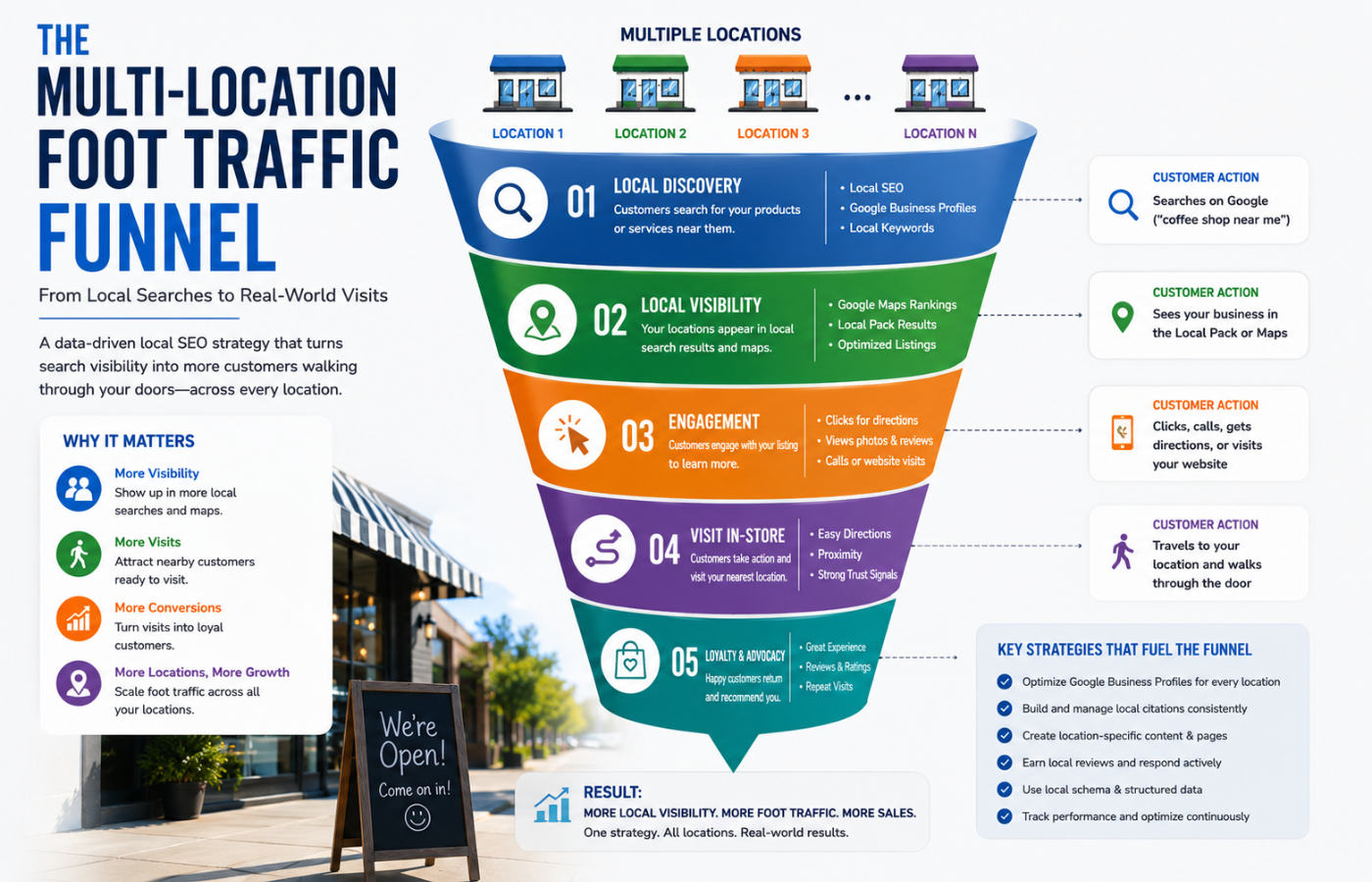
| Search Intent | User Query | Which Location Wins | Required SEO Element |
|---|---|---|---|
| “Near me” | “gym near me” | Closest to user’s current GPS | Optimised GBP, accurate hours, recent posts |
| “City search” | “dentist in Croydon” | Croydon location page | Unique location content, local backlinks, city in meta title |
| “Problem + location” | “emergency plumber SW19” | Wimbledon location | Local keywords in page copy, service area pages |
| “Brand + location” | “Starbucks Manchester” | Manchester store | GBP with correct address, schema, local citations |
Common Multi-Location SEO Mistakes
| Mistake | Consequence | Fix |
|---|---|---|
| One Google Business Profile for all locations | Only one store appears in maps | Create separate GBP for every address |
| Duplicate location page content | Google ranks none (penalty) | Write unique, local-specific content for each |
| No local phone numbers | Cannot track which location generated lead | Use unique numbers or call tracking |
| Ignoring location-specific reviews | Google sees no local social proof | Request reviews per location, respond mentioning location |
| Only building homepage backlinks | Individual location pages have no authority | Earn links directly to each location page |
| Outdated hours on GBP | Customers arrive to closed store | Update hours weekly, especially holidays |
Measuring Multi-Location SEO Success
Track these metrics per location, not just globally:
-
Google Maps pack ranking for each location’s primary keyword
-
Phone calls per location (use call tracking numbers)
-
Direction requests per GBP (Google Business Insights)
-
Website clicks per location page (Google Analytics with location-specific URLs)
-
Review count and average rating per location
-
Foot traffic lift (correlate with SEO campaigns by location)
Conclusion: Every Store Deserves Its Own Digital Presence
Want a multi-location SEO strategy that puts every single one of your stores on the local map — and keeps customers walking through every door?
Get in touch with Orbitix today.