






Common Local Business SEO Mistakes and How to Avoid Them
Why Local SEO Matters More Than Ever
In 2026, “near me” searches have exploded. Google reports that over 50% of all mobile searches have local intent. When someone searches for “pizza near me,” “emergency plumber,” or “family dentist,” Google prioritises businesses with consistent, accurate, and complete local SEO profiles. If your business is missing key information — or worse, has conflicting information across the web — you simply will not appear. Understanding the most common mistakes is the first step to dominating your local market.
10 Common Local Business SEO Mistakes (And How to Fix Them)
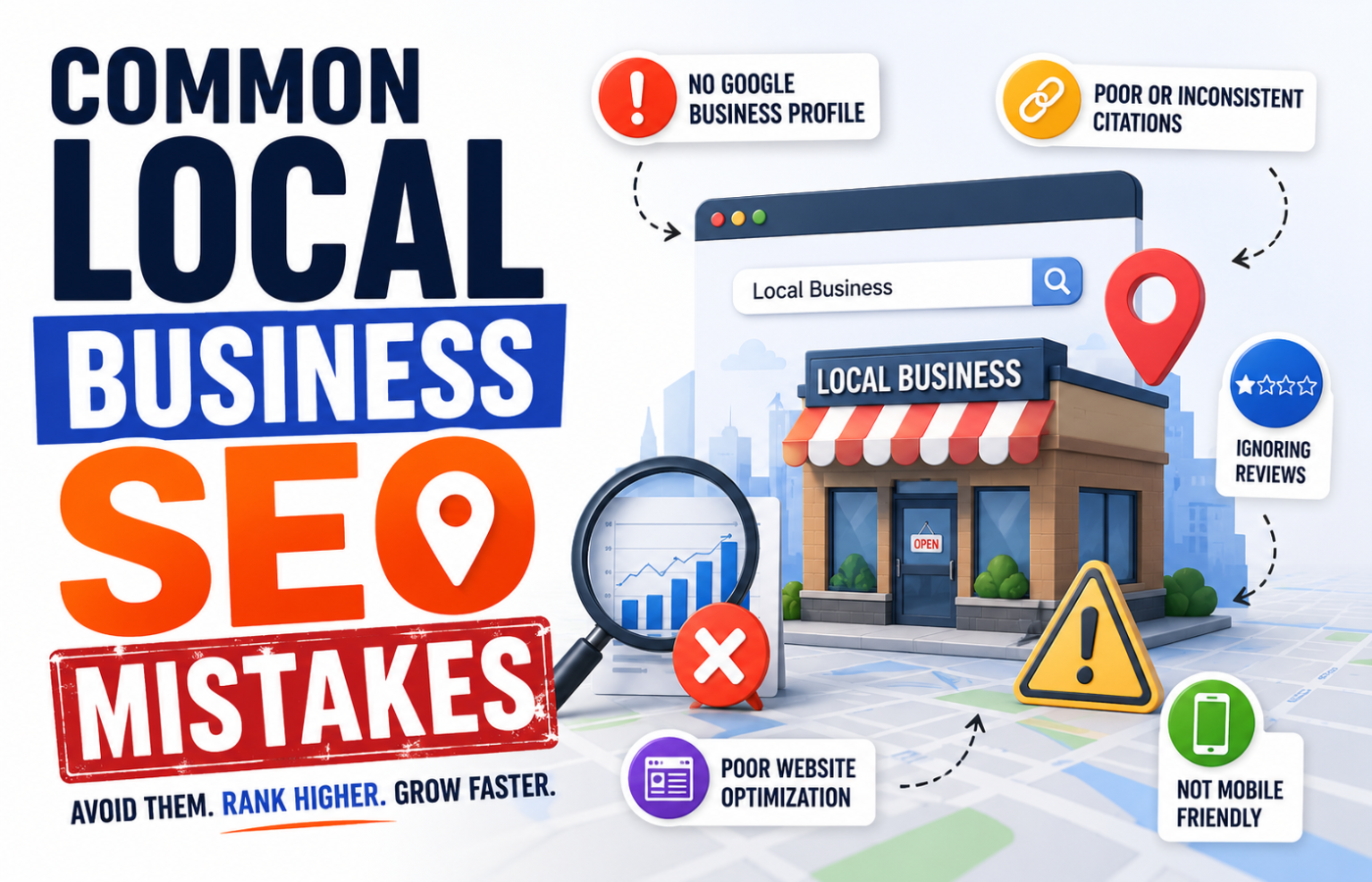
Avoiding these local business SEO mistakes will immediately improve your visibility in Google Maps and local pack results:
1. Inconsistent NAP Information Across the Web
The Mistake: Your business name, address, and phone number (NAP) vary across your website, Google Business Profile, Yelp, Facebook, and industry directories. Abbreviations like “St.” vs “Street” or “Suite 200” vs “#200” count as inconsistencies.
The Fix: Create a single, canonical version of your NAP. Use exactly the same formatting everywhere. Run a free citation audit using tools like Moz Local, BrightLocal, or Semrush to find and correct discrepancies.
2. Claiming But Neglecting Google Business Profile
The Mistake: You claimed your GBP profile years ago and never touched it again. Photos are outdated, questions go unanswered, and you have not posted an update in months.
The Fix: Treat GBP like a second website. Add fresh photos weekly, respond to every review (positive and negative), post offers or events, add products/services, and use the Q&A feature proactively. Google rewards active profiles.
3. Ignoring Customer Reviews (Or Responding Badly)
The Mistake: You never respond to reviews, or you argue with negative reviewers. Worse, you have not asked for new reviews in months or years.
The Fix: Respond to every review within 48 hours. For positive reviews: thank them and add a personal touch. For negative reviews: apologise publicly, take responsibility, and move the conversation offline to resolve. Set up an automated review request system (email or text) after every service.
4. Having No Local Keyword Strategy
The Mistake: You optimise for generic terms like “plumber” or “dentist” but ignore location-specific modifiers like “emergency plumber in [neighborhood]” or “[city] family dentist.”
The Fix: Research local keywords including city names, neighbourhoods, landmarks, and “near me” variants. Embed these naturally into your homepage, service pages, meta descriptions, and blog posts.
5. Missing or Incorrect Service Areas
The Mistake: You serve multiple towns or a large region, but your website and GBP only list your physical city. Mobile users in neighbouring towns never find you.
The Fix: In GBP, set your service area radius or list specific zip codes and towns. On your website, create dedicated location pages (e.g., “Plumber in Abingdon,” “Plumber in Kidlington”) with unique content for each.
6. Thin or Duplicate Location Pages
The Mistake: For multi-location businesses, you copy-pasted the same content across every location page, changing only the city name. Google sees this as duplicate content and ranks none of them.
The Fix: Each location page must have unique content: local landmarks, specific team members, local certifications, neighbourhood photos, and locally relevant testimonials. Invest in genuine, human-written content for each page.
7. No Local Backlinks or Citations
The Mistake: You have no links from other local businesses, the Chamber of Commerce, local news sites, or community organisations.
The Fix: Join your local Chamber of Commerce (almost always includes a directory link). Sponsor a local sports team or charity event. Partner with complementary local businesses for cross-promotion. Guest post on local blogs or industry association websites.
8. Ignoring Mobile Users
The Mistake: Your website loads slowly on phones, has tiny buttons, or uses Flash or pop-ups that make calling or navigating impossible.
The Fix: Test your site on Google’s Mobile-Friendly Test. Compress images, enable caching, and simplify navigation. Ensure your phone number is click-to-call and your address opens Google Maps. Aim for under 2-second load time on mobile.
9. No Local Schema Markup
The Mistake: You have never added structured data (schema) to your website. Google has to guess your business type, hours, and location.
The Fix: Add LocalBusiness schema (or more specific types like Dentist, Plumber, Restaurant) to your homepage and contact page. Include opening hours, price range, payment methods, and accepted insurance if relevant. Use Google’s Structured Data Markup Helper or a plugin like Rank Math or Yoast.
10. Not Tracking Local Rankings
The Mistake: You check your rankings from your home or office, forgetting that local results vary by physical location. You have no idea if you rank in neighbouring towns.
The Fix: Use local rank tracking tools (BrightLocal, Whitespark, Semrush Local) that check rankings from multiple zip codes. Track your Google Maps pack position, not just organic blue links.
Quick Fix Checklist for Local Business SEO
| Mistake | One-Hour Fix | Long-Term Solution |
|---|---|---|
| Inconsistent NAP | Manual audit of top 10 directories | Quarterly citation cleaning service |
| Neglected GBP | Add 10 photos + respond to all pending reviews | Weekly 15-minute update routine |
| No local keywords | Add city name to homepage title tag | Monthly keyword research + content updates |
| Missing service areas | Update GBP service radius + add one location page | Create pages for all towns you serve |
| No schema | Install Rank Math/Yoast + configure LocalBusiness | Hire developer for advanced schema types |
Conclusion: Small Fixes, Big Local Gains
Most local businesses are losing customers not because of competition, but because of basic, fixable SEO mistakes. Your competitors may not be better — they may simply be more visible. This is especially true when implementing Local SEO for Builders, where strong local visibility can make the difference between a steady stream of project inquiries and missed opportunities. By systematically auditing and correcting these common local business SEO errors, you can leapfrog businesses that have been around for decades. Start with the highest-impact fixes: NAP consistency, GBP optimisation, and review generation. The customers searching for you right now will thank you for it.
Want a complete local SEO audit that finds every mistake costing you customers — and a clear roadmap to fix them?
Get in touch with Orbitix today.