




AI for Designers: How to Create Better Designs with Artificial Intelligence
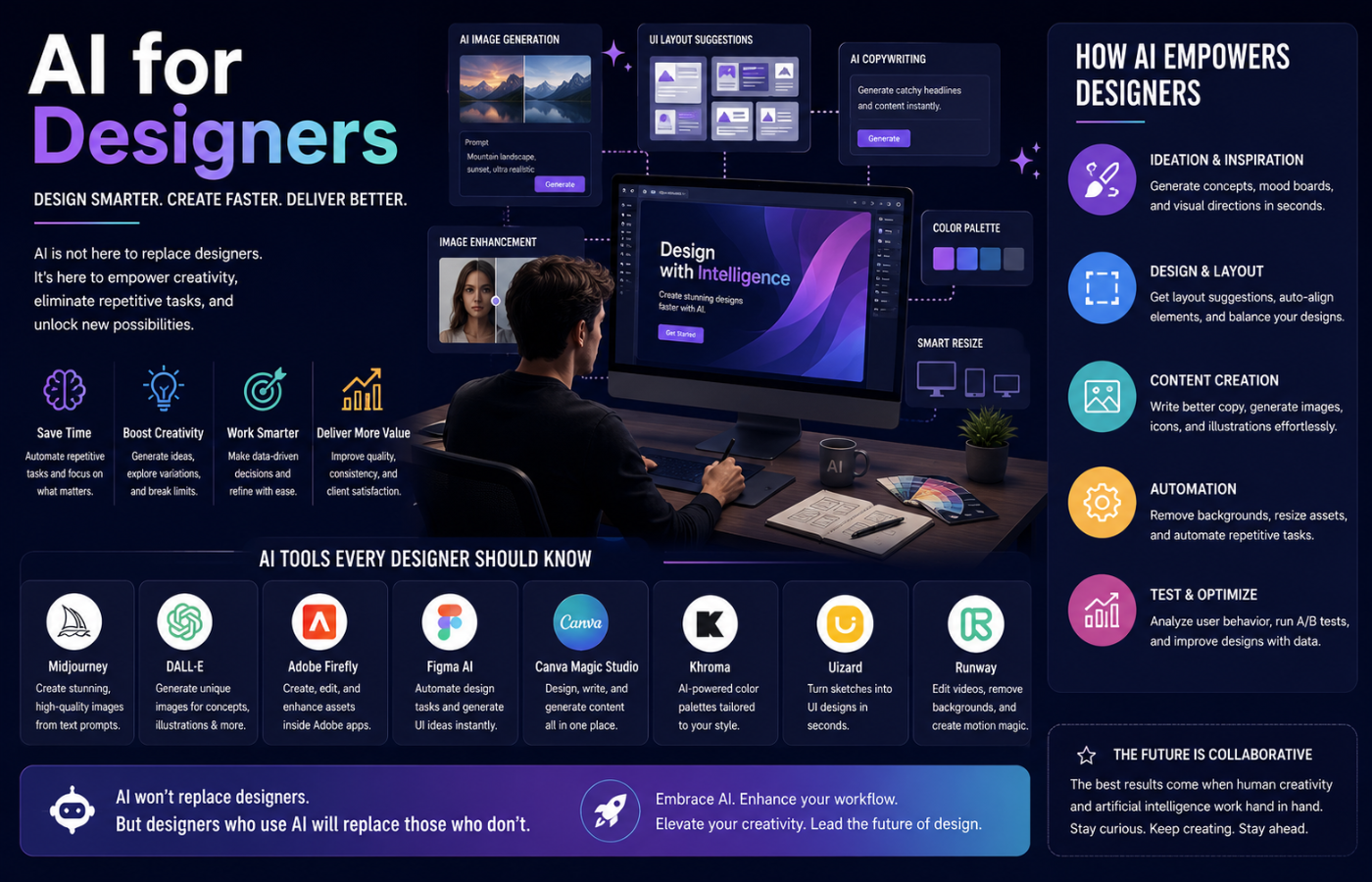
AI for designers has evolved from a futuristic concept into a practical toolkit that can dramatically improve how you research, ideate, and produce visual work. Whether you are creating brand identities, user interfaces, or marketing assets, AI tools now help compress what used to take hours into minutes. As brands increasingly rely on intelligent systems for design consistency and AI brand reputation management, these tools play a crucial role in maintaining a strong and trustworthy brand presence. But the real power of AI for designers lies not in letting algorithms take over, but in knowing exactly where and how to apply these tools throughout the creative workflow.
What AI Actually Does for Designers
The most useful data point comes from the State of AI in Design 2025 report, which surveyed over 400 designers: 89% say AI improved their workflow, but the breakdown matters more than the headline. Designers use AI in exploration phases (84%), creation (68%), but only 39% trust it for final delivery . The gap shows where human judgment still matters most.
How to Apply AI Across the Design Workflow
Effective AI for designers means knowing which tool to use at which stage:
Research & Discovery
AI speeds up research without replacing thinking. NotebookLM (Google) turns interview transcripts and briefs into a conversational knowledge base — ask “What are the top pain points users mentioned?” and it surfaces patterns instantly. Perplexity functions as an AI-powered search engine with cited sources for competitive research. Claude excels at processing large documents and extracting structured insights — feed it a 50-page brand guideline and ask for a summary of core brand values in seconds .
Ideation & Concept Development
For visual direction, Midjourney generates 10–15 mood board images in different styles before committing to a direction — show clients real imagery, not vague descriptions . GPT Image 2 excels at translating product goals and UX context into coherent visual concepts. For UX concepts, Claude can brainstorm user flows and sitemap structures. Galileo AI converts concept descriptions directly into editable Figma-ready screens in under a minute .
Design & Production
Figma Make handles UI generation from prompts, creating working layouts that use your actual design system components. Adobe Firefly removes the most tedious production tasks — background removal, generative fill, and creating asset variations in seconds. Uizard converts rough hand-drawn sketches into digital wireframes, great for collaborative sessions .
Content & Copywriting
Claude is the strongest option for UX writing — give it context and it produces immediately usable microcopy. Jasper handles marketing-focused copy like product descriptions, landing page headlines, and CTAs .
Testing & Validation
UX Pilot includes predictive heatmaps that simulate where users will focus attention on any screen. Attention Insight provides predictive eye-tracking heatmaps for web pages, app screens, and ads — critical for validating visual hierarchy .
Handoff & Documentation
Claude Design now includes design system support and smooth handoff to Claude Code. Teams can sync design systems directly from a local codebase and hand off designs without rebuilding from scratch .
What AI Still Can’t Do
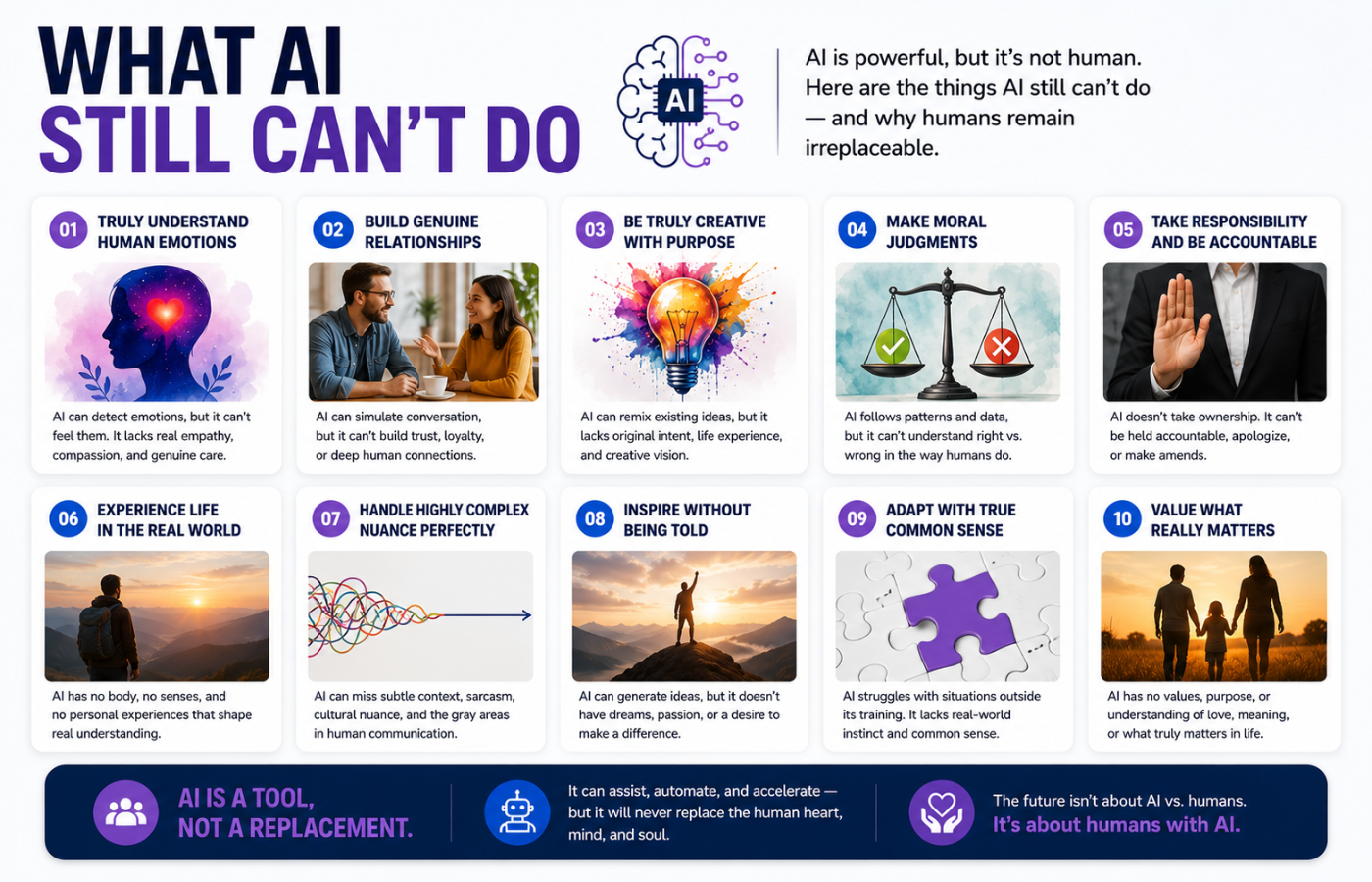
AI lacks cultural context and meaning. It can generate symbols but cannot understand what they mean to different audiences. It lacks emotional intelligence and has limited cultural understanding . AI also cannot make strategic judgments — it can produce options but cannot tell you which serves the business goal. And work created primarily by AI may not be copyrightable, creating real risk for client work .
The 70/30 Rule in Action
The designers thriving in 2026 treat AI-generated output as a starting point, not a final output. The value is in getting 70% of the way there instantly — your expertise handles the last 30% that makes it great . Only 32% of product builders trust AI output, even though 78% say it enhances efficiency. That efficiency-trust gap defines the opportunity: AI makes certain tasks faster, but the output still needs a designer’s eye .
Conclusion
AI for designers is about augmenting creativity, not replacing it. When used strategically—for research compression, rapid ideation, tedious production tasks, and validation—it can dramatically improve output quality. These same principles also support AI Marketing Funnel Strategies, helping teams create more effective campaigns while streamlining creative workflows. But human judgment, cultural understanding, and strategic thinking remain the designer’s domain.
Want to integrate AI into your design workflow strategically — without losing the human judgment that makes your work valuable?
Get in touch with Orbitix today.