







The Complete Guide to Creating AI Visibility Reports in Writesonic
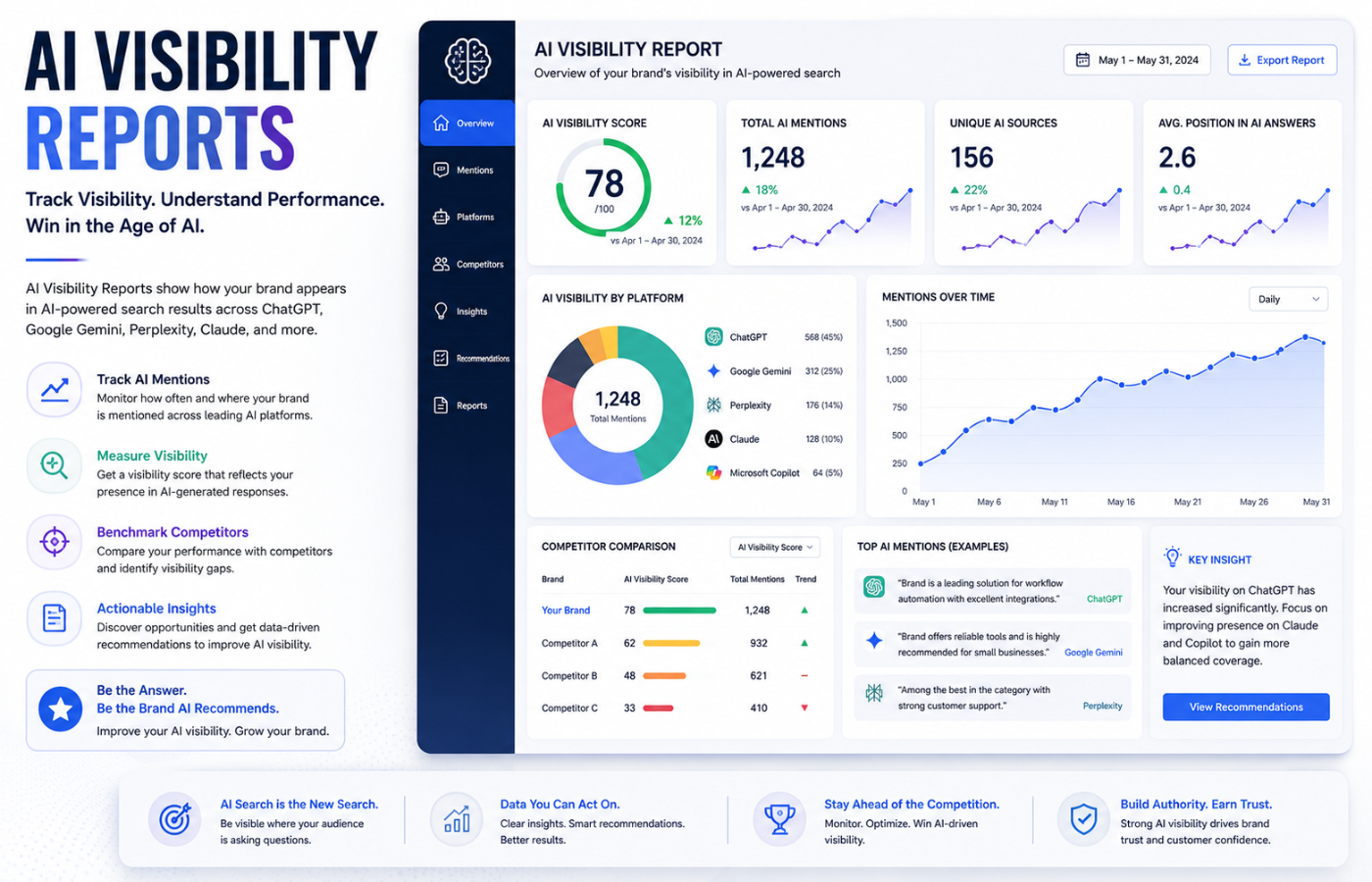
AI Visibility Reports are quickly becoming essential for marketing teams who want to understand how their brand appears in AI Search Results and AI-generated search experiences across platforms like ChatGPT, Perplexity, and Google AI Overviews. Writesonic is one of the most practical tools for building this kind of reporting, offering a dedicated GEO (Generative Engine Optimization) dashboard that tracks how often your brand gets cited in AI responses. Unlike traditional SEO reporting, AI Visibility Reports help you answer a critical question: Are we showing up where buyers are actually looking? If not, what do we fix first?
Why AI Visibility Reporting Matters in 2026
Buyers don’t just Google things anymore. A growing portion of them open ChatGPT, type a question, and act on whatever comes back. Salesforce research found that 41 percent of consumers used AI tools as part of their research process in 2024 — and that number has only grown since .
If your brand isn’t being cited in those AI responses, you’re losing potential customers. AI visibility reporting helps you understand not just if you appear, but which topics you’re being cited for, how that’s changing over time, and who’s beating you in the answers your buyers are reading .
How to Create AI Visibility Reports in Writesonic
Here’s a step-by-step guide to building effective AI Visibility Reports using Writesonic’s GEO platform.
1. Start With Your Prompt Set
Every number in Writesonic traces back to your tracked prompt set — the specific questions the platform monitors across AI tools .
Get this wrong, and everything downstream looks worse than it is. The platform assigns default topic labels to clusters of prompts (e.g., “content marketing,” “digital marketing”), but these are often too broad .
What works better: Export the full prompt list, drop it into an AI tool, and ask it to summarise the underlying themes, intent types, and audience categories. This gives you clearer content pillars to track against and reveals whether your prompt set skews toward one audience over another .
Practical rule: Only report on content that genuinely aligns with your tracked prompt themes. Flagging low citation share on a page that serves a completely different audience creates confusion .
2. Set Up Portfolios to Organise Your Content
Portfolios are folders that allow you to organise the URLs you’re tracking by content type . At minimum, you want separate portfolios for:
-
Blog posts
-
Core website pages
-
Comprehensive guides
If you have distinct product lines or service areas, break those out too .
Pro tip: Make adding new URLs to portfolios part of your publishing workflow. Teams that skip this step spend far too much time during reporting cycles searching for pages that should have been tracked from day one .
3. Configure Your Markets (For Multi-Region Tracking)
Writesonic’s Markets feature allows you to track AI visibility across multiple countries and languages within a single project .
What you can do:
-
Track the same country with multiple language variations (e.g., United States – English, United States – Spanish)
-
Compare visibility across regions side by side
-
Add multilingual variations for the same country without duplicating projects
To set up: Navigate to your project Overview > Topics and Prompts > All Markets dropdown > “Add a market” . Select your target country, language, and optionally a localised homepage URL .
4. Add and Benchmark Competitors
True visibility is always relative — are you leading, catching up, or falling behind? Writesonic allows you to add competitors and monitor their visibility, citations, and share-of-voice directly against yours .
You can also add competitor URLs to portfolios and track their citation performance in the same view — useful when you need to show exactly where a competitor is outpacing you on a specific topic .
5. Understand the Key Metrics in Your Dashboard
Your Writesonic dashboard is organised into several key sections that form the core of your AI visibility reporting :
| Metric | What It Means | Why It Matters |
|---|---|---|
| AI Visibility Score | Percentage of tracked prompts where your brand is mentioned in AI responses | Measures brand presence and discoverability in generative search |
| Citation Share | Share of AI citations pointing to your domain out of all citations | Indicates authority and content quality as perceived by AI engines |
| Answers Mentioned | Total number of AI answers containing your brand | Volume metric for brand mentions across tracked prompts |
| Sentiment Score | How positively AI discusses your brand | Helps track if AI perception aligns with your messaging |
| Market Share | Your visibility compared to competitors | Benchmarking metric for competitive positioning |
6. Report on Individual Content Performance
The path is: Overview > Citations > Content Performance. Set your date range and filter by URL slug .
What to look for:
-
Citation Count or Citing Answers: How many times that page was cited across all tracked prompts in the selected period
-
Prompt performance: Which prompts are surfacing your content and which ones are not
If a page is ranking well for some prompts but missing others that closely match its content, those gaps are actionable. Adding a structured FAQ section or a more direct answer to a specific question can sometimes close them .
Be careful with month-over-month comparisons. A single dip is not a signal. LLM citation patterns shift constantly as models update and competitive content changes. Look at a three-to-four-month trend line instead .
7. Report at the Portfolio Level
Portfolio-level reporting lets you evaluate how a group of pages is collectively performing in AI-generated answers .
Two key metrics:
-
Citation Share: What percentage of all AI answers cite at least one page from that portfolio — think of it as reach for that content category
-
Visibility Contribution: Percentage of your brand’s total AI visibility that comes from pages in that portfolio being cited alongside a brand mention — tells you which content categories are driving brand recognition in AI answers
If a portfolio has solid citation share but low visibility contribution, AI tools are referencing those pages but not associating them with your brand. That’s a signal to look at how clearly your brand is represented within the content itself .
8. Use the Action Center for Quick Wins
The Action Center is where strategy becomes execution. It provides:
-
Actionable items sorted by effort and impact
-
Fix technical issues: E.g., unblock AI crawlers in robots.txt
-
Get external mentions: Suggestions for authoritative third-party sites to target for new citations
-
Boost content visibility: Data-driven content ideas inspired by what’s working for competitors
Look for pages with citation visibility gaps and start closing them .
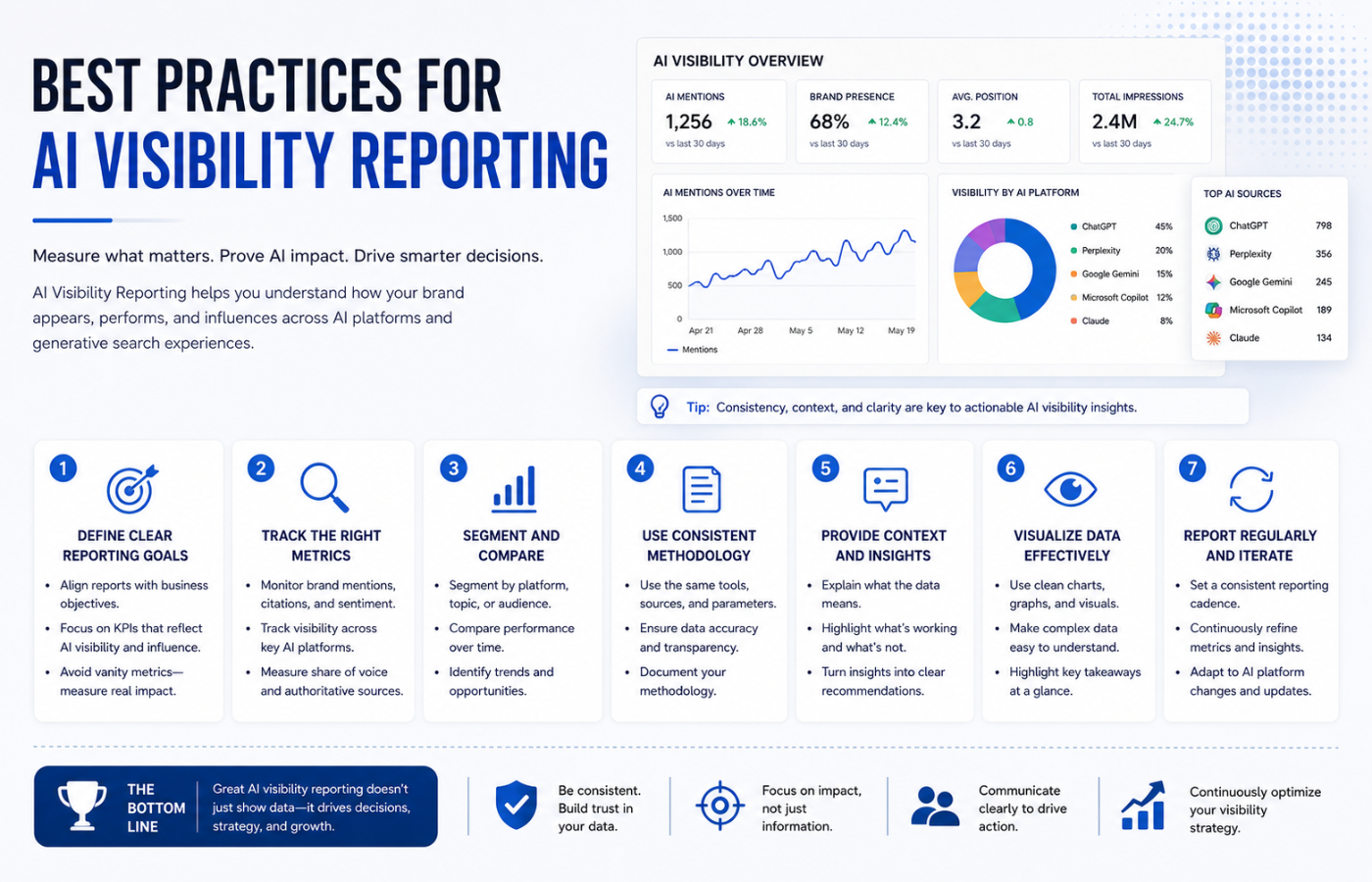
Best Practices for AI Visibility Reporting
| Practice | Why It Matters |
|---|---|
| Review the hub weekly | Scan for downward trends and prioritise action items |
| Configure prompts early | Projects without prompts display a “no data” state |
| Monitor prompt quota | Approaching the limit may require a plan upgrade or prompt optimisation |
| Add content to portfolios immediately | Makes reporting cycles much faster |
| Only report on aligned content | Flagging low citation share on mismatched pages creates confusion |
| Use Markets for global tracking | Avoids managing separate projects for every country and language |
Conclusion: AI Visibility Is the New SEO Frontier
AI Visibility Reports are no longer optional for marketing teams that want to understand where their brand appears in AI-powered search. For businesses running an Ecommerce Website, Writesonic provides a practical, integrated solution that tracks your brand across multiple AI platforms, benchmarks competitors, and guides you toward actionable improvements.
The key takeaways:
-
Your prompt set is the foundation — understand it before you report on anything
-
Portfolios organise your content for category-level reporting
-
Markets enable global tracking without project clutter
-
Sentiment analysis reveals not just if you’re mentioned, but how you’re perceived
-
Action Center turns insights into execution
AI visibility is a new signal — treat it as a complement to your larger organic strategy, not a replacement, and you’ll get far more out of it .
Want AI visibility reports that show exactly where your brand appears in ChatGPT, Perplexity, and Google AI — with actionable steps to improve your citations?
Get in touch with Orbitix today.