







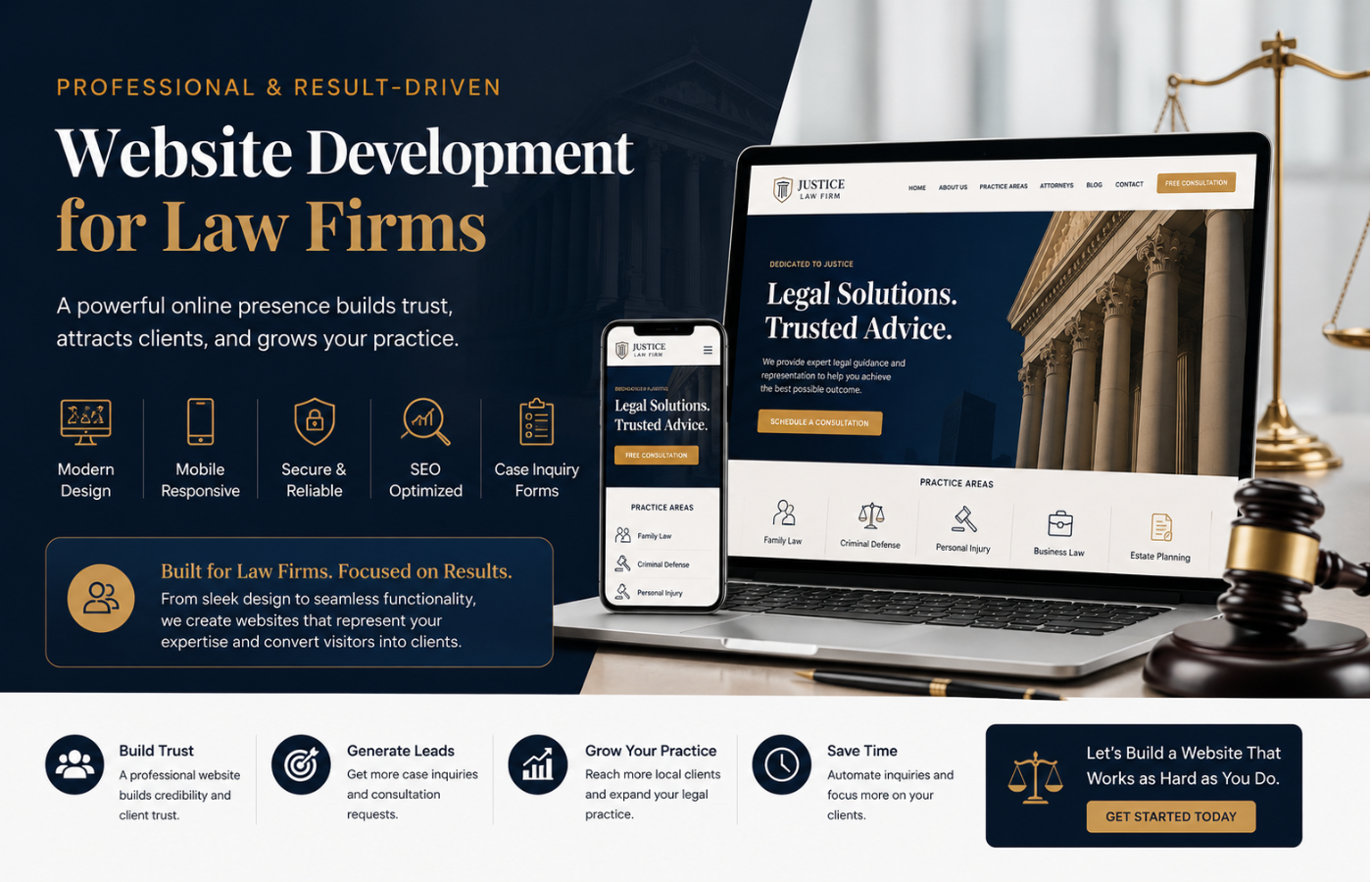
Website Development for Law Firms: Key Pages You Should Never Miss
When it comes to website development for law firms, the difference between a lead generation machine and an expensive digital brochure often comes down to the pages you include. Unlike a retail site where a visitor might browse casually, potential clients visiting a law firm’s website are typically under stress—facing legal charges, navigating a divorce, or seeking compensation after an accident. They need clear answers, immediate trust signals, and a frictionless path to contact you. Missing even one critical page can tank your conversions, harm your local SEO, and leave money on the table. In this guide, we’ll walk through the essential pages every law firm website must have and explain why each is non-negotiable for both user experience and search visibility.
Why Page Structure Matters for Law Firm Websites
Below are the key pages you should never miss, from foundational to advanced.
Why Strategic Website Development for Law Firms Begins with These Core Pages
Great website development for law firms is not about flashy animations or complex sliders. It is about building a digital property that anticipates client needs. Each page below serves a specific role in the client journey—from first discovering your firm to confidently picking up the phone.
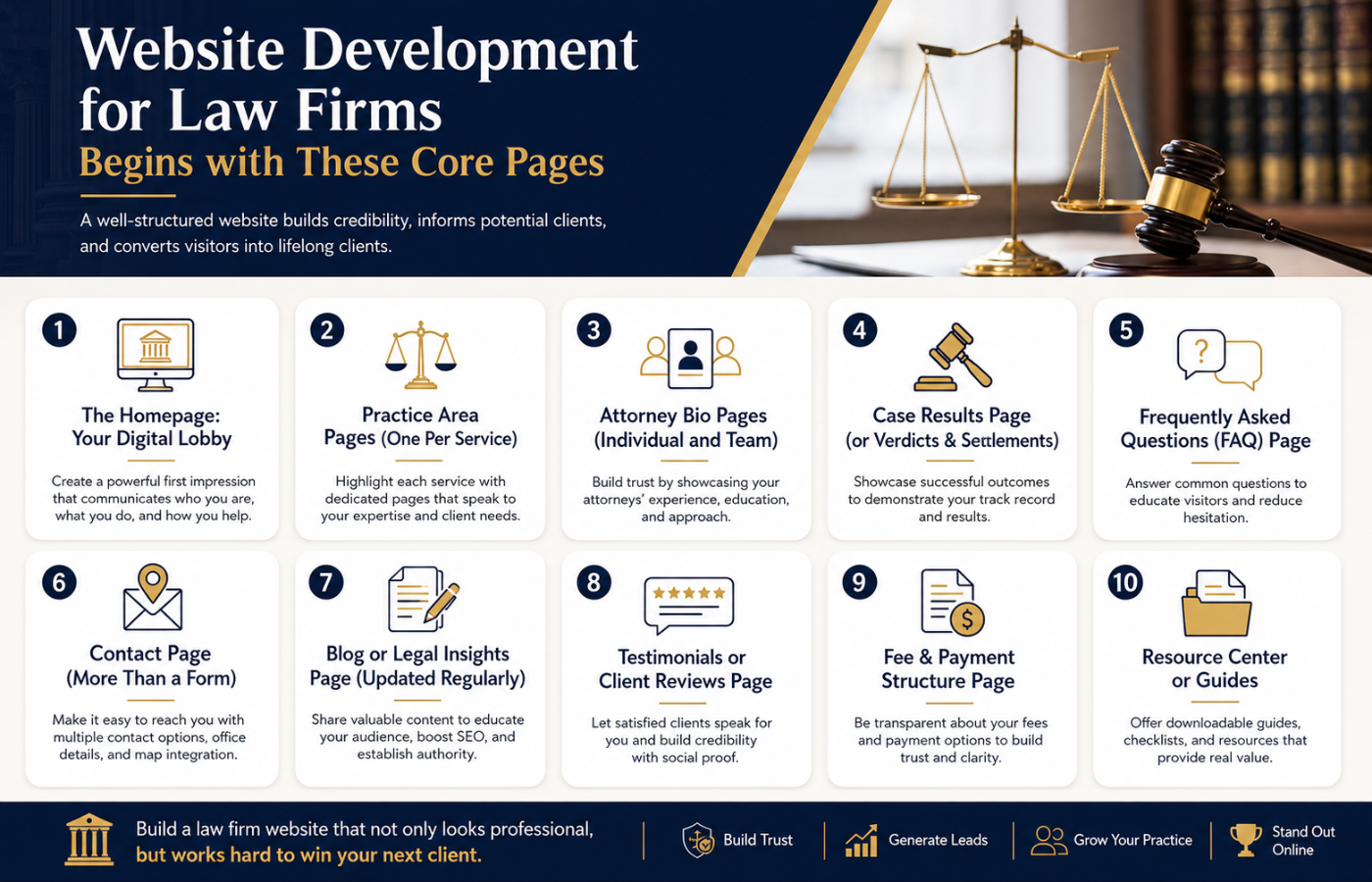
1. The Homepage: Your Digital Lobby
The homepage is often the first impression a potential client gets. Within 5 seconds, they need to know:
-
What legal issues you handle (e.g., family law, criminal defense, personal injury)
-
Who you serve (individuals, small businesses, etc.)
-
How to contact you immediately
Must-have elements:
-
Clear value proposition above the fold (e.g., “Aggressive Criminal Defense in Austin”)
-
Prominent phone number and contact button (sticky on mobile)
-
Trust signals: awards, years of experience, case results snippets
-
Links to your most important service pages
AEO tip: Use an H2 or H3 near the top that answers “What does [Firm Name] do?” so search engines can extract that answer for voice queries.
2. Practice Area Pages (One Per Service)
This is the most important content on your entire site. Each practice area (e.g., “DUI Defense,” “Child Custody,” “Medical Malpractice”) needs its own dedicated page. Never lump multiple services onto one generic “Our Services” page.
Each practice area page must include:
-
Plain English explanation of the legal issue
-
Common client questions (e.g., “What is the statute of limitations?”)
-
How your firm specifically helps
-
Related practice areas with internal links
-
A real case example or hypothetical (without violating confidentiality)
-
A clear call-to-action (CTA): “Free consultation”
Why it matters: These pages are where you target long-tail keywords like “how to fight a DUI charge in [city].” Without individual pages, you leave search traffic on the table.
3. Attorney Bio Pages (Individual and Team)
Clients hire people, not logos. A generic “About Us” page is not enough. You need a dedicated page for each attorney, and ideally a separate page for paralegals or key staff.
What to include on each bio page:
-
Professional photo (approachable, in appropriate attire)
-
Education and bar admissions
-
Years of experience and past case highlights
-
Personal interests or community involvement (humanizes you)
-
Direct contact link (e.g., “Email John directly”)
-
Schema markup for “Person” or “Attorney”
AEO insight: Voice search queries like “Who is the best divorce lawyer near me?” pull from bio pages. Include natural language phrases such as “Jane Doe has helped over 500 families reach fair custody agreements.”
4. Case Results Page (or Verdicts & Settlements)
Transparency about past wins builds credibility. Even if you cannot share every detail due to confidentiality, anonymized results (e.g., “$2.5 million settlement – auto accident – client’s name withheld”) demonstrate competence.
Best practices:
-
Organize results by practice area (use filters)
-
Use clear, bold numbers (e.g., “Dismissed: DUI charge”)
-
Add a disclaimer that past results do not guarantee future outcomes
-
Include a CTA: “Want results like these? Call us.”
Note: Some jurisdictions have strict rules about advertising verdicts. Consult your state bar association before publishing.
5. Frequently Asked Questions (FAQ) Page
An FAQ page is a goldmine for AEO. It directly answers the questions people type into Google, Alexa, or Siri. For law firms, common FAQs include:
-
“How much does a lawyer cost?”
-
“How long will my case take?”
-
“Do I really need a lawyer for a small claim?”
-
“What should I bring to my first consultation?”
Structure for AEO success:
-
Use H3 for each question (e.g., “How much does a criminal defense lawyer cost?”)
-
Provide a direct, concise answer (2-3 sentences) followed by a more detailed explanation.
-
Add internal links to relevant practice area pages.
When you build your FAQ page as part of your website development for law firms, you dramatically increase your chances of appearing in Google’s “People also ask” boxes.
6. Contact Page (More Than a Form)
A basic contact form is not enough. Your contact page should be a conversion hub.
Essential components:
-
Physical address (even if virtual) with Google Maps embed
-
Phone number (click-to-call on mobile)
-
Multiple contact methods: form, email, text (if allowed), chat widget
-
Office hours and after-hours instructions (e.g., “For immediate legal help after 5 PM, call our emergency line”)
-
Links to secure client portal if you offer one
-
Directions and parking information
Trust feature: Add a sentence like, “All inquiries are confidential under attorney-client privilege.”
7. Blog or Legal Insights Page (Updated Regularly)
A blog shows that your firm is active and knowledgeable. But do not just post for the sake of posting. Focus on answering specific legal questions that potential clients are searching for.
Topics that work well:
-
“What to do immediately after a car accident in [state]”
-
“How to modify child support payments”
-
“New criminal laws in [city] taking effect this year”
Each blog post should link back to relevant practice area pages. This internal linking structure tells Google that your practice area pages are the authoritative hubs.
8. Testimonials or Client Reviews Page
Social proof is powerful in the legal industry. A separate page dedicated to client testimonials (with permission) provides third-party validation.
Pro tips:
-
Use full names and photos when allowed (anonymous otherwise)
-
Include video testimonials if possible
-
Add schema markup for “Review” to show star ratings in search results
-
Balance glowing reviews with a few less-than-perfect ones that show you resolved an issue (honesty builds trust)
9. Fee & Payment Structure Page (Optional but Powerful)
Many potential clients fear contacting a lawyer because they assume they cannot afford one. A transparent page about fees eliminates that barrier.
What to cover:
-
Contingency fee (personal injury – “you pay nothing unless we win”)
-
Hourly rates
-
Flat fees (e.g., “uncontested divorce: $1,500”)
-
Payment plans or sliding scale options
-
Accepted payment methods (credit card, etc.)
Even if you do not list exact prices, explaining how billing works (e.g., “initial consultation is always free, then we require a $2,000 retainer”) sets clear expectations.
10. Resource Center or Guides (Advanced)
Larger law firms can benefit from a dedicated resource center with downloadable guides, checklists, or e-books. Examples:
-
“The Divorce Preparation Checklist”
-
“What to do after an arrest: A step-by-step guide”
-
“Medical malpractice timeline: From injury to lawsuit”
These resources generate email signups and position your firm as the go-to authority.
Technical Considerations for Law Firm Website Development
Beyond pages, the underlying technical development matters for both SEO and AEO.
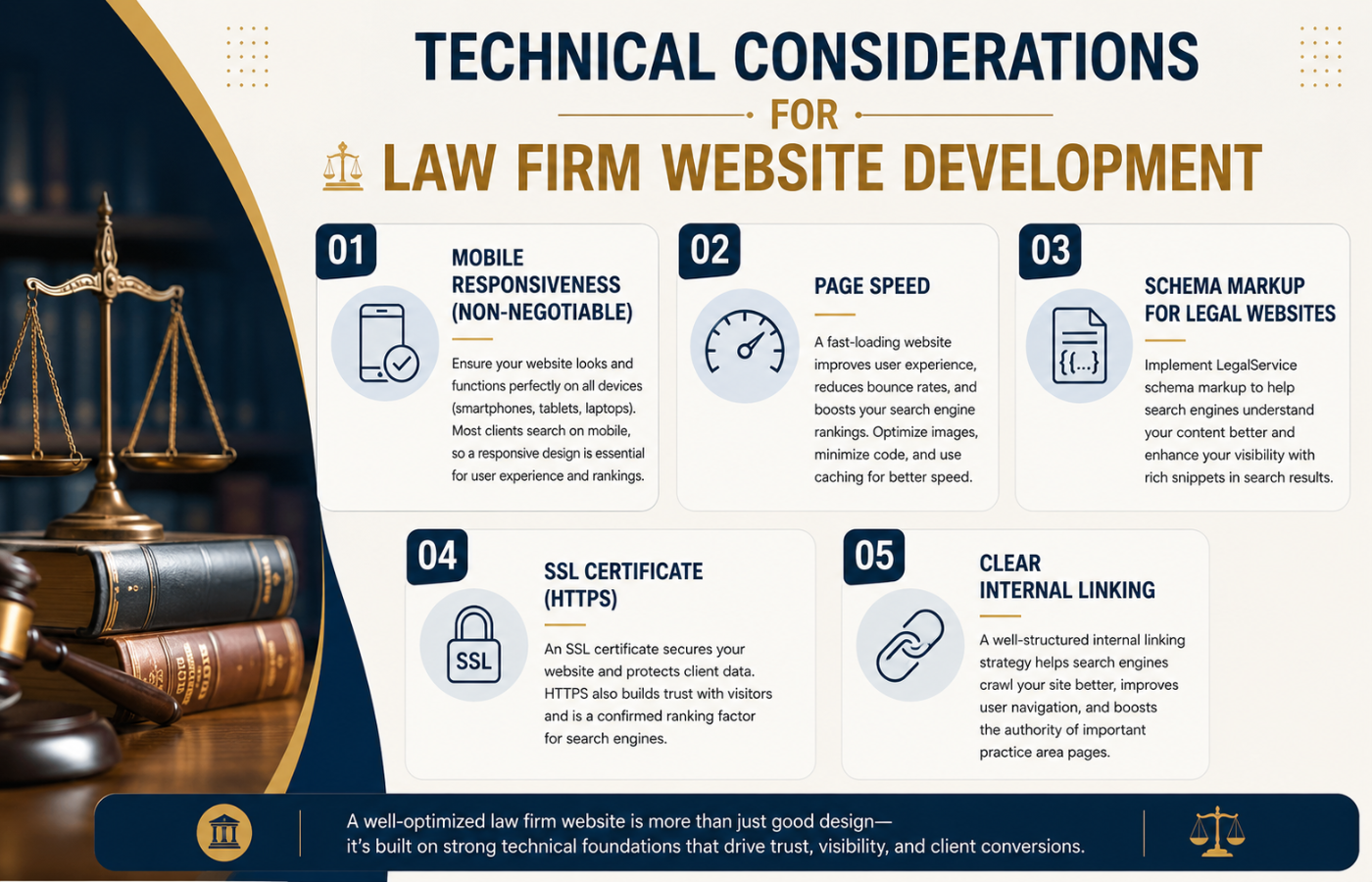
Mobile Responsiveness (Non-negotiable)
Over 60% of legal searches happen on mobile. Your site must load quickly, have tap-friendly buttons, and display forms correctly on small screens.
Page Speed
Google uses Core Web Vitals as ranking factors. Compress images, use caching, and choose a fast hosting provider.
Schema Markup for Legal Websites
Implement structured data for:
-
LocalBusiness (with attorney-specific subtypes)
-
Attorney (schema.org/Attorney)
-
Review snippets
-
FAQ schema (for your FAQ page)
-
Article schema (for blog posts)
SSL Certificate (HTTPS)
Law firm websites handle sensitive inquiries. HTTPS is required for both security and Google rankings.
Clear Internal Linking
Every practice area page should link to related practice areas, your contact page, and relevant blog posts. This spreads “link equity” and helps search engines understand your site hierarchy.
Common Mistakes to Avoid During Website Development for Law Firms
Even with the right pages, mistakes can undermine your efforts.
Mistake #1: No dedicated practice area pages – A single page listing “personal injury, family law, and criminal defense” will never rank for any of them well.
Mistake #2: Hiding contact information – If your phone number is not in the header, you are losing calls.
Mistake #3: No calls-to-action (CTAs) – Every page should tell the visitor what to do next (“Schedule a consult,” “Call now,” “Read client stories”).
Mistake #4: Ignoring local SEO – If you serve specific cities, create location pages (e.g., “Divorce lawyer in Denver” as a separate page, not just a mention).
Mistake #5: Using low-quality stock photos – A generic gavel-and-scales photo does nothing. Use real photos of your team and office.
How to Prioritize If You Have a Limited Budget
Not every law firm can build a 20-page site from day one. If you need to start lean, build these three first:
-
Homepage – With clear services and contact info.
-
Top three practice area pages – Focus on the services that generate 80% of your revenue.
-
Contact page – With phone, form, and address.
Then add: Attorney bio page, FAQ page, and case results. The blog and resource center can come later.
Measuring Success: Key Metrics for Law Firm Websites
After launching your site, track:
-
Contact form submissions (goal completions in Google Analytics)
-
Phone call tracking (use a service like CallRail)
-
Organic search traffic to each practice area page
-
Bounce rate – High bounce rates may indicate poor content or slow load times
-
Average session duration – Longer sessions suggest engaged readers
Use Google Search Console to see which queries bring users to your site, then optimize those pages further.
Conclusion: Build for Trust and Answers
The best website development for law firms does not chase trends or flashy design. Instead, much like successful Ecommerce Website Development Hampshire strategies, it focuses on building a structured, trustworthy digital presence where potential clients can easily find answers to their most pressing legal questions. By including every page listed above—from practice area deep-dives to FAQ-rich resources—you create a site that serves both human visitors and search engine algorithms.
Start with an honest audit of your current website. Which pages are missing? Which are thin or outdated? Then prioritize building or improving those pages one at a time. Your future clients are searching right now—give them the answers they need on the pages you should never miss.
Want more qualified law firm leads and attract more clients?
Get in touch with Orbitix today.