






Local Search Marketing Tips to Improve Your Google Maps Rankings
Why Google Maps Rankings Matter More Than Ever
Over 50% of all mobile searches have local intent, and Google Maps results appear before organic listings. A #1 Maps ranking can generate 3-5x more calls than a #5 ranking. Unlike traditional SEO that takes months, optimised local search marketing can improve your Maps position in weeks — driving foot traffic and phone calls without expensive ads.
Local Search Marketing Tips That Boost Google Maps Rankings
Use these local search marketing tips to dominate your neighborhood:
1. Complete Every Field on Google Business Profile
Incomplete profiles rank lower. Ensure you have:
-
Exact business name (no keyword stuffing)
-
Precise address (with suite/unit number)
-
Local phone number (not 0800 or national number)
-
Categories (primary + up to 9 secondary)
-
Attributes (wheelchair accessible, women-led, outdoor seating, free Wi-Fi)
-
Products and services (list every service as a separate entry)
-
Opening hours (including special hours for holidays)
2. Get More Reviews (Especially With Keywords)
Review quantity, recency, and keywords all matter:
-
Ask every happy customer for a review (email or SMS automation)
-
Respond to every review within 48 hours (positive and negative)
-
Encourage customers to mention your service or neighbourhood (“Great plumber in Shawlands!”)
-
Aim for 10+ new reviews per month minimum
3. Post Photos and Videos Weekly
Businesses with photos receive 42% more requests for directions:
-
Exterior photo (so customers recognise your shopfront)
-
Interior photos (clean, welcoming, busy)
-
Team photos (faces build trust)
-
Product or work-in-progress photos (show what you do)
-
Logo photo (brand consistency)
-
Videos (30-second tours or service demos)
4. Embed Google Maps on Your Website
Tell Google that your physical location matters:
-
Add embedded map to contact page (with your exact coordinates)
-
Add map to every location-specific landing page
-
Use schema markup (
LocalBusiness,GeoCoordinates) -
Ensure NAP (name, address, phone) matches exactly on your site and GBP
5. Build Local Citations
Consistency across the web boosts Maps rankings:
-
List your business on Yelp, Foursquare, Bing Places, Apple Maps
-
Target industry directories (Healthgrades for dentists, Avvo for lawyers, TripAdvisor for restaurants)
-
Join your local Chamber of Commerce
-
Submit to data aggregators (Neustar, Data Axle, Foursquare)
6. Earn Local Backlinks
Links from local sources signal relevance:
-
Sponsor a local sports team (they link to sponsors)
-
Partner with neighbouring businesses (cross-link on “neighbourhood” pages)
-
Get mentioned on local news sites or community blogs
-
List your business on local “best of” directories
7. Use Local Keywords in GBP Descriptions
Your business description should include:
-
Your neighbourhood or district
-
Nearby landmarks or tube stations
-
The specific services you offer
-
Local area references (“serving Southside since 2010”)
8. Answer Every Question in GBP Q&A
Proactively answer common questions:
-
“Do you offer emergency call-outs?”
-
“Is there parking nearby?”
-
“Are you open on Sundays?”
-
“Do you serve [neighbourhood name]?”
Unanswered questions signal neglect to both Google and customers.
Google Maps Ranking Factors Cheat Sheet
| Factor | Impact | Quick Win |
|---|---|---|
| GBP completeness | High | Fill every single field |
| Review count & recency | Very High | Ask for 10+ reviews monthly |
| Review keywords | Medium | Ask customers to mention service + area |
| Photos & videos | Medium | Post 5+ new photos weekly |
| NAP consistency | Very High | Audit citations monthly |
| Local backlinks | Medium | Join Chamber of Commerce |
| Q&A activity | Low-Medium | Answer all questions within 24 hours |
Common Local Search Marketing Mistakes
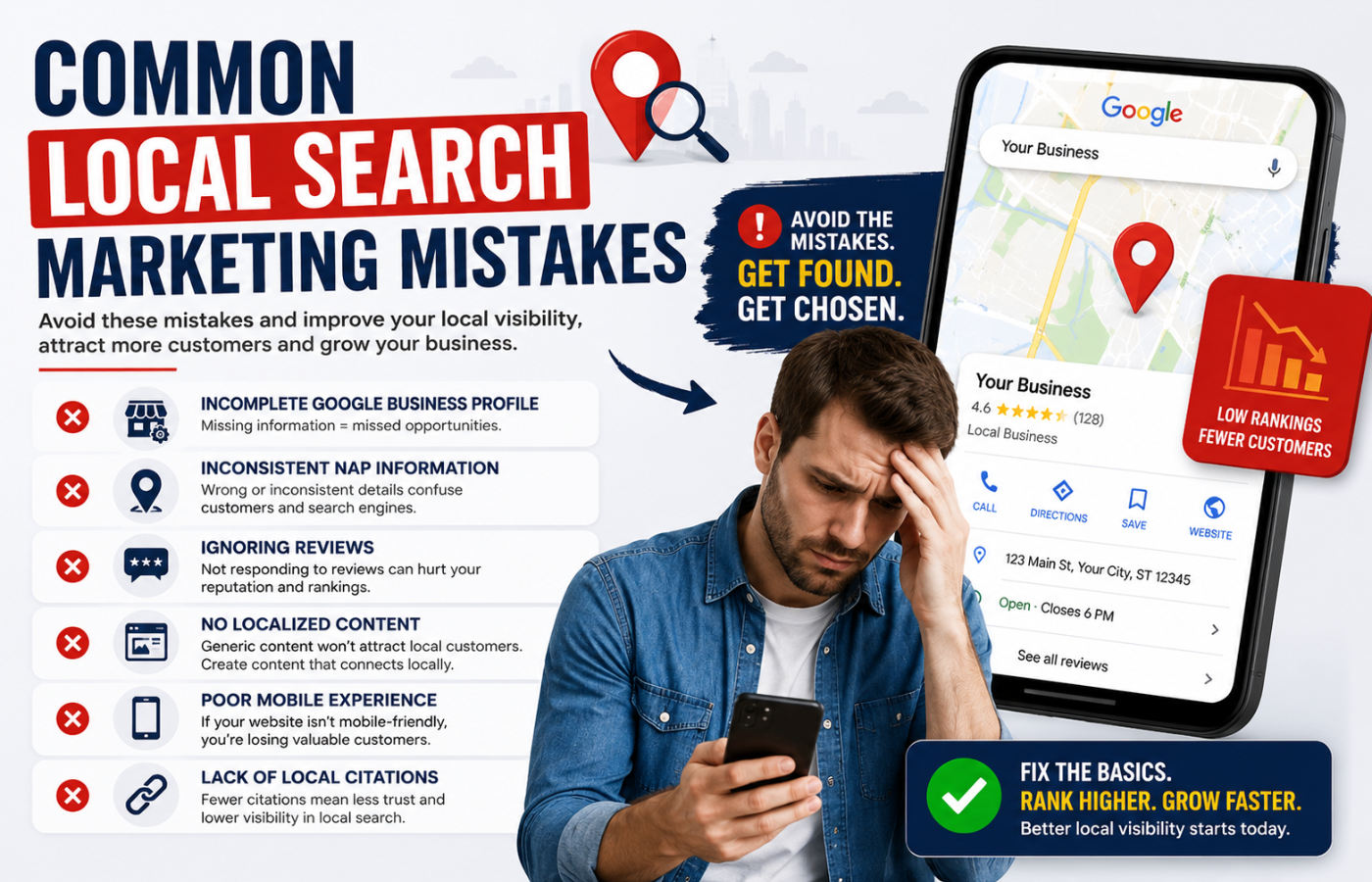
| Mistake | Fix |
|---|---|
| Inconsistent NAP (St vs Street) | Create a canonical version and use everywhere |
| No review responses | Respond to every review within 48 hours |
| Stock photos only | Add real photos of your location, team, and work |
| Missing service areas | Add all postcodes or neighbourhoods to GBP |
| No Q&A answers | Proactively answer common customer questions |
| Ignoring GBP posts | Post weekly offers, events, or updates |
Measuring Google Maps Success
Track these metrics monthly:
-
Local pack position for your main keywords (check from your actual location)
-
Direction requests (GBP Insights > Directions)
-
Phone calls from GBP (use call tracking)
-
Photo views compared to competitors
-
Review count and average rating
-
Q&A activity (questions answered vs unanswered)
Conclusion: Own Your Neighbourhood on Google Maps
Want to dominate Google Maps in your neighborhood—with more calls, more direction requests, and fewer customers finding your competitors first?
Get in touch with Orbitix today.