






Signs Your Website Needs Professional WordPress SEO Services
Why DIY WordPress SEO Often Falls Short
WordPress powers over 40% of the web, which means millions of sites are competing using the same platform. An SEO plugin gives you checklists and suggestions, but it cannot audit your backlink profile, fix JavaScript rendering issues, resolve crawl budget waste, or build a content strategy that targets commercial intent keywords. Many business owners spend months tweaking meta descriptions and alt tags, wondering why their traffic has not improved. The answer is simple: surface-level fixes do not solve systemic problems. Recognising the signs of a site that needs professional help is the first step toward sustainable organic growth.
10 Signs Your Website Needs Professional WordPress SEO Services
If you recognise any of these warning signs, it is time to invest in WordPress SEO services before your competitors pull further ahead:
1. You Have an SEO Plugin but No Traffic Growth
The Sign: You installed Yoast, Rank Math, or AIOSEO months ago. You followed all the traffic light suggestions (green bullets for readability and keywords). Yet your organic traffic has flatlined or declined.
The Problem: Plugins only flag basic on-page issues. They do not conduct competitor analysis, identify content gaps, fix technical architecture, or build quality backlinks. Green lights do not equal rankings.
What Professional Help Does: A full SEO audit including keyword research, competitor benchmarking, technical crawl analysis, and a prioritised action plan.
2. Your WordPress Site Is Painfully Slow
The Sign: Your Google PageSpeed Insights score is below 50 for mobile. Your Core Web Vitals (LCP, CLS, INP) are failing. You have tried caching plugins but nothing works.
The Problem: Slow WordPress sites are often caused by bloated themes, unoptimised images, excessive plugins, poor hosting, or render-blocking JavaScript. Plugins cannot fix architecture-level problems.
What Professional Help Does: Identifies specific bottlenecks, recommends lightweight themes, optimises databases, implements advanced caching, configures a CDN, and often saves you money by replacing paid plugins with free alternatives.
3. Your Pages Are Indexed but Not Ranking
The Sign: Google Search Console shows hundreds or thousands of indexed pages, but you appear on page 3 or 4 for your target keywords — or not at all.
The Problem: Indexing is not ranking. Your content may be thin, your backlink profile weak, your topical authority low, or your internal linking broken. Google knows you exist but does not trust you enough to send traffic.
What Professional Help Does: Conducts a content gap analysis against top-ranking competitors, builds a backlink acquisition strategy, restructures site architecture, and creates pillar-cluster content models.
4. You Are Getting “Crawled — Currently Not Indexed” Warnings
The Sign: In Google Search Console > Pages, you see thousands of pages marked “Crawled — currently not indexed.” Google is visiting your site but choosing not to add your pages to its index.
The Problem: This is a serious technical SEO issue. Causes include thin content, duplicate content, poor internal linking, or crawl budget waste (Googlebot spends time on low-value pages like tag archives or author pages).
What Professional Help Does: Audits crawl budget, no-indexes low-value pages, improves internal linking to important content, consolidates duplicate pages, and ensures canonical tags are correctly implemented.
5. Your Rankings Dropped After a WordPress Update
The Sign: You updated WordPress core, your theme, or several plugins. Shortly after, your organic traffic dropped significantly.
The Problem: Updates can break schema markup, change URL structures, disable canonical tags, or alter meta robots settings. Even minor updates can have major SEO consequences.
What Professional Help Does: Performs a pre-update backup, tests updates on a staging environment, audits the site post-update for SEO regressions, and rolls back changes if necessary.
6. You Have Multiple Pages Targeting the Same Keyword
The Sign: Two or more pages on your WordPress site compete for the exact same keyword (e.g., “plumber Oxford” appears on your homepage, services page, and a blog post). None of them rank well.
The Problem: This is called keyword cannibalisation. Google gets confused about which page to rank, so it often ranks none of them well.
What Professional Help Does: Maps each keyword to a single canonical page, consolidates content, sets up 301 redirects, and restructures your information architecture to eliminate internal competition.
7. Your WordPress Site Has Been Hacked or Flagged for Malware
The Sign: Google Search Console shows a security issue warning. Or your site was hacked in the past, cleaned up, but still underperforms in search.
The Problem: Even after cleaning malware, Google may keep a partial penalty on your site. Hacked sites often have hidden spam pages, injected backlinks, or corrupted .htaccess files that damage SEO.
What Professional Help Does: Conducts a full security audit, removes hidden malware, disavows toxic backlinks, submits reconsideration requests to Google, and implements ongoing security monitoring.
8. Your WordPress Database Is Bloated and Slow
The Sign: Your WordPress admin dashboard takes forever to load. Your site feels sluggish even with caching enabled.
The Problem: Over time, WordPress databases accumulate post revisions, trashed comments, transient options, and spam comments. A bloated database slows down every query, including those powering your SEO-critical pages.
What Professional Help Does: Cleans and optimises your database, sets limits on post revisions, automates regular cleanups, and optimises database tables for faster queries.
9. Your Permalinks or URL structure has changed.
The Sign: You changed your permalink settings (e.g., from ?p=123 to /%postname%/) or manually renamed several URLs without setting up redirects.
The Problem: Changed URLs without 301 redirects create broken links and 404 errors. Google has to rediscover your content, and you lose accumulated link equity.
What Professional Help Does: Maps old URLs to new URLs, implements bulk 301 redirects, updates internal links, and notifies Google Search Console of the changes via sitemap resubmission.
10. You Have No Idea How Your Competitors Are Outranking You
The Sign: You look at your competitors’ sites, and they do not seem special. Their design is average. Their content is similar. Yet they rank above you for every important keyword.
The Problem: You are missing the invisible factors: their backlink profile, their technical speed advantages, their content depth, their internal linking strategy, or their schema markup implementation.
What Professional Help Does: Conducts a competitor backlink analysis, reverse-engineers their content strategy, identifies their technical advantages, and builds a roadmap to surpass them.
What Professional WordPress SEO Services Actually Include
| Service | DIY Plugin Can Do? | Professional SEO Service |
|---|---|---|
| On-page meta optimisation | Yes (basic) | Advanced (semantic keywords, entity optimisation) |
| XML sitemap generation | Yes | Yes, with custom prioritisation |
| Schema markup | Basic only | Full (local, product, FAQ, how-to, article) |
| Core Web Vitals optimisation | No | Full (server, theme, image, code) |
| Competitor analysis | No | Deep (backlinks, content gaps, keywords) |
| Backlink acquisition | No | Strategic outreach and digital PR |
| Crawl budget optimisation | No | Advanced (log file analysis, no-index rules) |
| Content strategy | No | Topic clusters, pillar pages, content calendar |
| Technical audit | Surface only | Deep crawl with prioritised fixes |
| Ongoing monitoring | Basic alerts | Weekly reporting with actionable insights |
The Cost of Ignoring These Signs
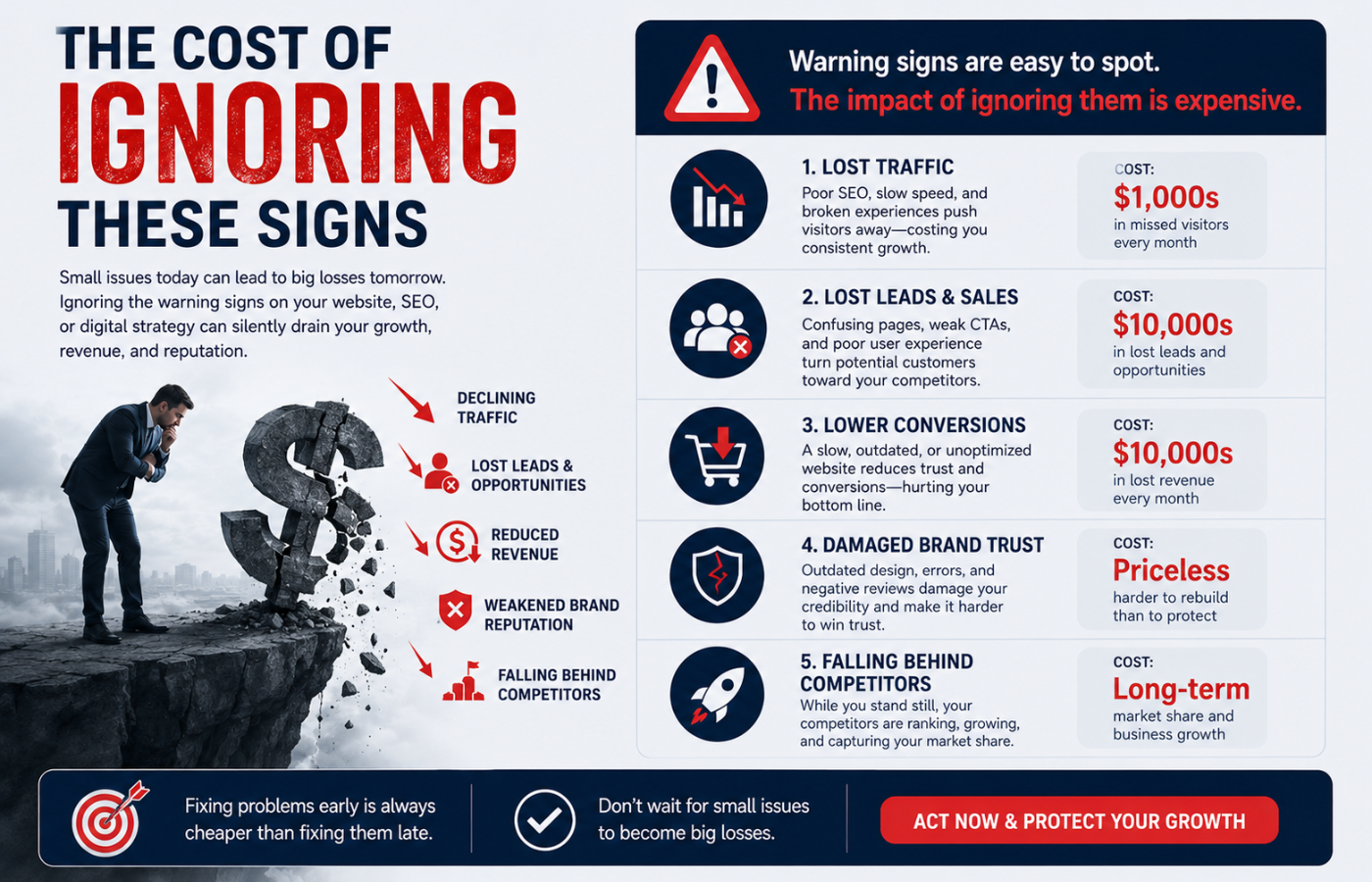
Every month you delay professional WordPress SEO services is a month your competitors gain ground. Unlike paid ads (stop spending, stop getting traffic), SEO compounds. The businesses that invested in SEO six months ago are now reaping free, qualified traffic while you are still trying to figure out why your Yoast settings are not working.
Conclusion: DIY Has Limits — Know When to Call Experts
Want WordPress SEO that goes beyond green bullets and actually grows your organic traffic — without guessing or plugin frustration?
Get in touch with Orbitix today.