






The Ultimate Guide to UX Optimization Best Practices in 2026|
UX optimization best practices have evolved dramatically in 2026, shifting from simple usability fixes to comprehensive strategies that drive conversions, retention, and revenue. As AI-powered search becomes more influential, understanding What Is LLMs.txt can also help businesses optimize how large language models interpret and access website content alongside delivering better user experiences. With users demanding faster, more intuitive experiences, businesses that prioritise UX optimization best practices are seeing significant improvements in engagement and customer loyalty. From AI-powered personalisation to voice interface design, the landscape has expanded far beyond basic navigation and page speed. This guide covers everything you need to know to create exceptional digital experiences that users love—and that deliver measurable business results.
Why UX Optimization Matters More Than Ever
User experience directly impacts your bottom line. Research shows that every dollar invested in UX brings a return of up to $100. Companies that prioritise UX outperform the S&P 500 index by over 200%. In 2026, UX is no longer a “nice-to-have” — it’s a competitive necessity.
Poor UX comes with a steep price:
-
88% of users are less likely to return after a bad experience
-
84% of purchasing decisions are influenced by design
-
50% of users abandon a site if it takes more than 3 seconds to load
Core UX Optimization Best Practices for 2026
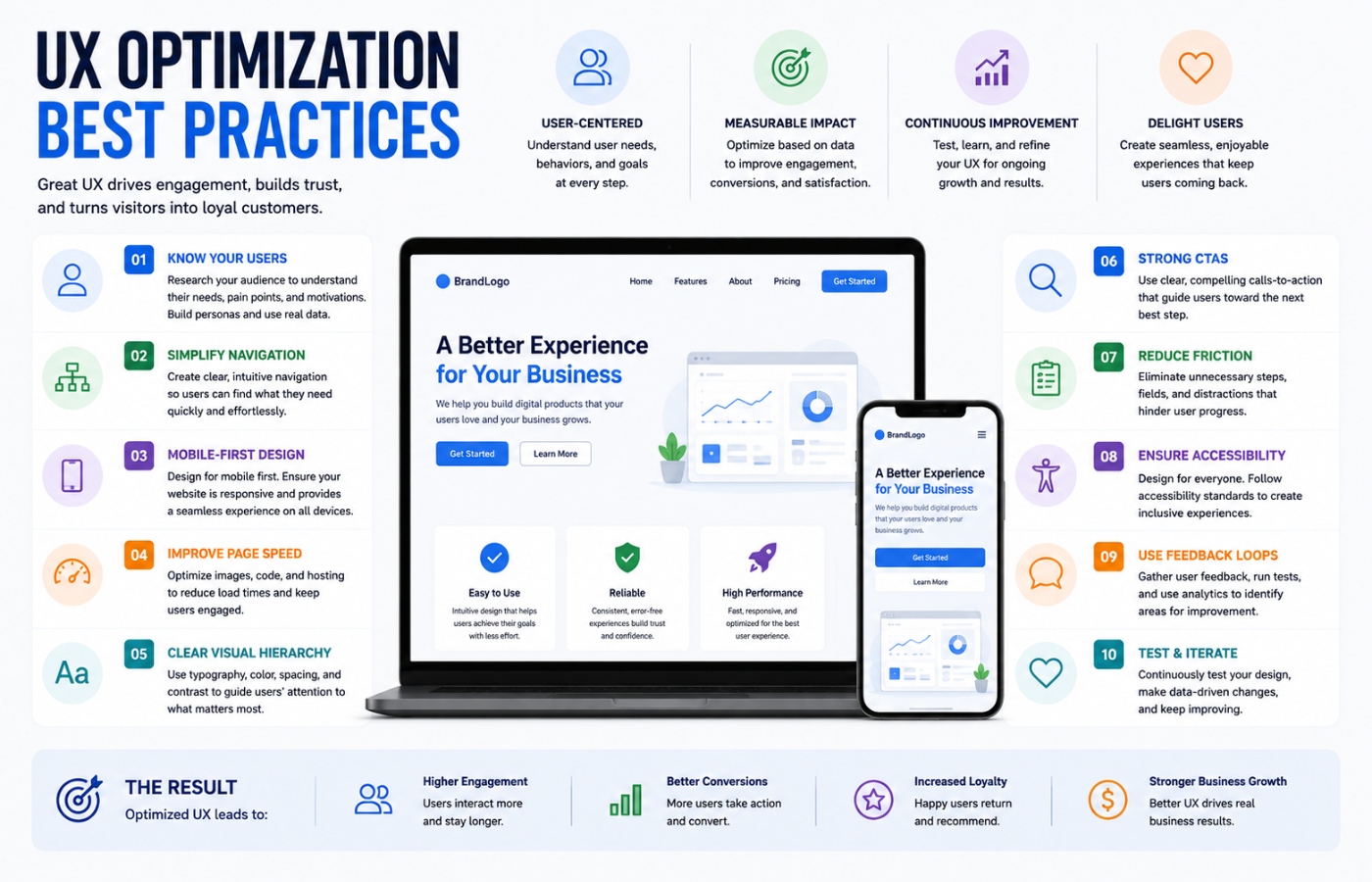
Here are the essential UX optimization best practices that will define successful digital experiences this year:
1. Speed and Performance Excellence
Performance remains the foundation of great UX. Google’s Core Web Vitals are non-negotiable benchmarks:
| Metric | Target | Impact |
|---|---|---|
| Largest Contentful Paint (LCP) | Under 2.5 seconds | Perceived load speed |
| Interaction to Next Paint (INP) | Under 200ms | Responsiveness |
| Cumulative Layout Shift (CLS) | Under 0.1 | Visual stability |
Why it matters: Pages loading within 1 second see conversion rates up to 40% higher. A 500ms delay can cause a 20% drop in traffic and engagement.
2. Mobile-First, Thumb-Friendly Design
Mobile traffic dominates 60%+ of web visits. Design must prioritise the mobile experience:
-
Touch targets minimum 44×44 pixels (thumb-friendly)
-
Readable font sizes (16px+ body text, no zooming required)
-
Thumb-accessible menus — navigation within easy reach
-
One-handed use — key actions accessible without stretching
-
Test on real devices, not just browser emulators
3. Intent-Driven Content Architecture
Structure content to match the user’s psychological journey:
-
Value proposition — What do you offer? (Curiosity)
-
Evidence — Social proof, case studies, testimonials (Validation)
-
Address concerns — FAQs, comparisons, objections (Trust)
-
Clear CTA — The next step, with reassurance (Action)
4. Progressive Disclosure and Cognitive Load Reduction
Don’t overwhelm users with everything at once. Progressive disclosure reveals information as needed, reducing cognitive load.
Best practices:
-
Use accordions and tabs for detailed content
-
Show only essential options initially
-
Provide “learn more” links for deeper exploration
-
Use tooltips and microcopy for guidance
-
Implement onboarding flows that introduce features gradually
5. Personalisation Without Creepiness
Smart personalisation in 2026 enhances UX without invading privacy:
-
Use behavioral data to infer preferences
-
Offer optional, transparent personalisation
-
Allow users to control their experience
-
Use progressive profiling (collect info gradually)
-
Personalise content, recommendations, and interfaces
6. Accessibility as a Core Requirement
WCAG 2.1 AA compliance is the minimum standard:
-
High-contrast colour schemes (4.5:1 ratio minimum)
-
Keyboard navigability (no mouse required)
-
Screen reader compatibility (semantic HTML, ARIA labels)
-
Alt text for all images
-
Captions and transcripts for video and audio
-
Resizable text without breaking layout
-
Focus indicators for keyboard users
7. Simplified, Intuitive Navigation
The three-click rule remains relevant: Users should reach any key content within three clicks.
Navigation best practices:
-
Audit current navigation — count clicks to key content
-
Use familiar, intuitive category labels
-
Implement robust filtering and search
-
Include breadcrumbs for orientation
-
Use sticky navigation for long pages
-
Test navigation with real users
8. Emotional Design and Micro-Interactions
UX isn’t just functional — it’s emotional. Micro-interactions create delight:
-
Hover animations that provide feedback
-
Loading animations that reduce perceived wait time
-
Confirmation animations (like a checkmark on form submission)
-
Progress indicators for multi-step processes
-
Celebratory moments (confetti, animations) for achievements
Why it works: Positive emotional responses increase user retention and word-of-mouth referrals.
9. Continuous Testing and Iteration
UX is never “done.” Best practices evolve, user behaviour changes, and new technologies emerge.
Testing methods:
-
A/B testing — Compare two versions of a page
-
Multivariate testing — Test multiple variables simultaneously
-
Usability testing — Observe real users completing tasks
-
Heatmaps and session recordings — See where users click, scroll, and hesitate
-
Surveys and feedback — Ask users directly about their experience
10. AI-Powered UX
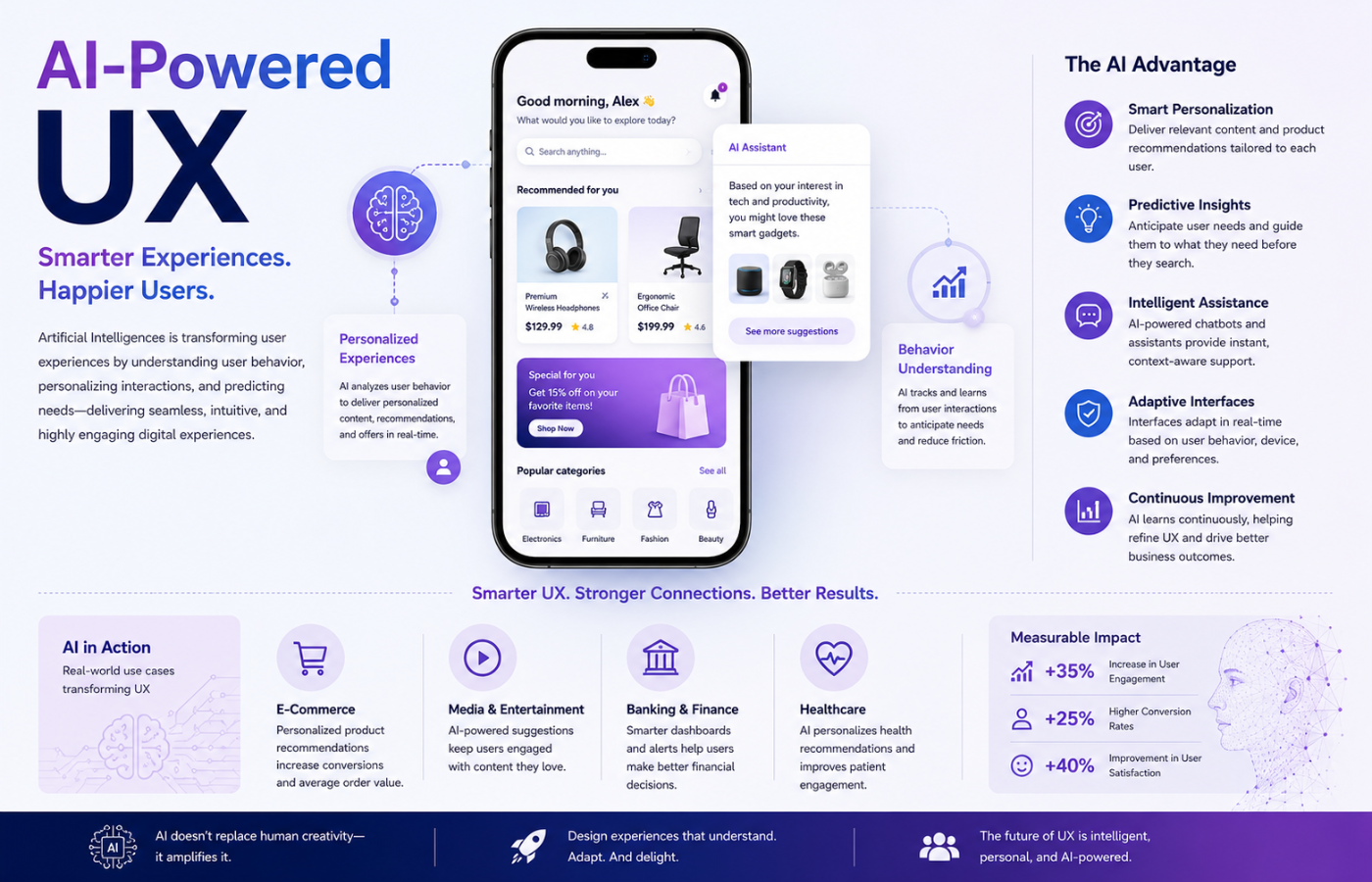
AI is transforming UX in 2026:
-
Chatbots and virtual assistants — Instant, 24/7 support
-
Predictive search — Anticipate what users are looking for
-
Dynamic content — Adapt to user behaviour in real-time
-
AI-driven personalisation — Tailor experiences without manual effort
-
Sentiment analysis — Understand user emotions from feedback
Measuring UX Optimization Success
| Metric | What It Measures | Target |
|---|---|---|
| Task Success Rate | Percentage of completed tasks | 80%+ |
| Time on Task | How long to complete tasks | Decreasing trend |
| Error Rate | Errors encountered | Below 5% |
| Net Promoter Score (NPS) | Loyalty and satisfaction | 50+ (Excellent) |
| Customer Satisfaction (CSAT) | Satisfaction with experience | 4.5/5+ |
| Bounce Rate | Single-page visits | Below 40% |
| Conversion Rate | Goal completions | Increasing trend |
Common UX Optimization Mistakes
| Mistake | Impact | Fix |
|---|---|---|
| Slow load times (3s+) | 50% abandonment | Optimise images, caching, CDN |
| Cluttered layouts | 88% less likely to return | Whitespace, clear hierarchy |
| Hidden navigation | Users can’t find content | Clear menus, breadcrumbs |
| No mobile-first | Lost mobile traffic, poor rankings | Design mobile-first |
| Ignoring accessibility | Lost users, legal risk | WCAG 2.1 AA compliance |
| Generic experience | Lower engagement | Personalise with data |
| No testing | Guessing instead of optimising | A/B test everything |
Conclusion
UX optimization best practices in 2026 demand a comprehensive, user-centred approach built on Essential Strategies for Success. From speed and mobile-first design to personalisation and accessibility, every element of your digital experience must be intentional and tested. The businesses that prioritise UX will win the loyalty of users who have countless options at their fingertips. Great UX is the ultimate competitive advantage, delivering measurable business results.
Want UX optimisation that keeps users engaged, converts visitors, and builds lasting loyalty — with data-driven improvements that actually move the needle?
Get in touch with Orbitix today.